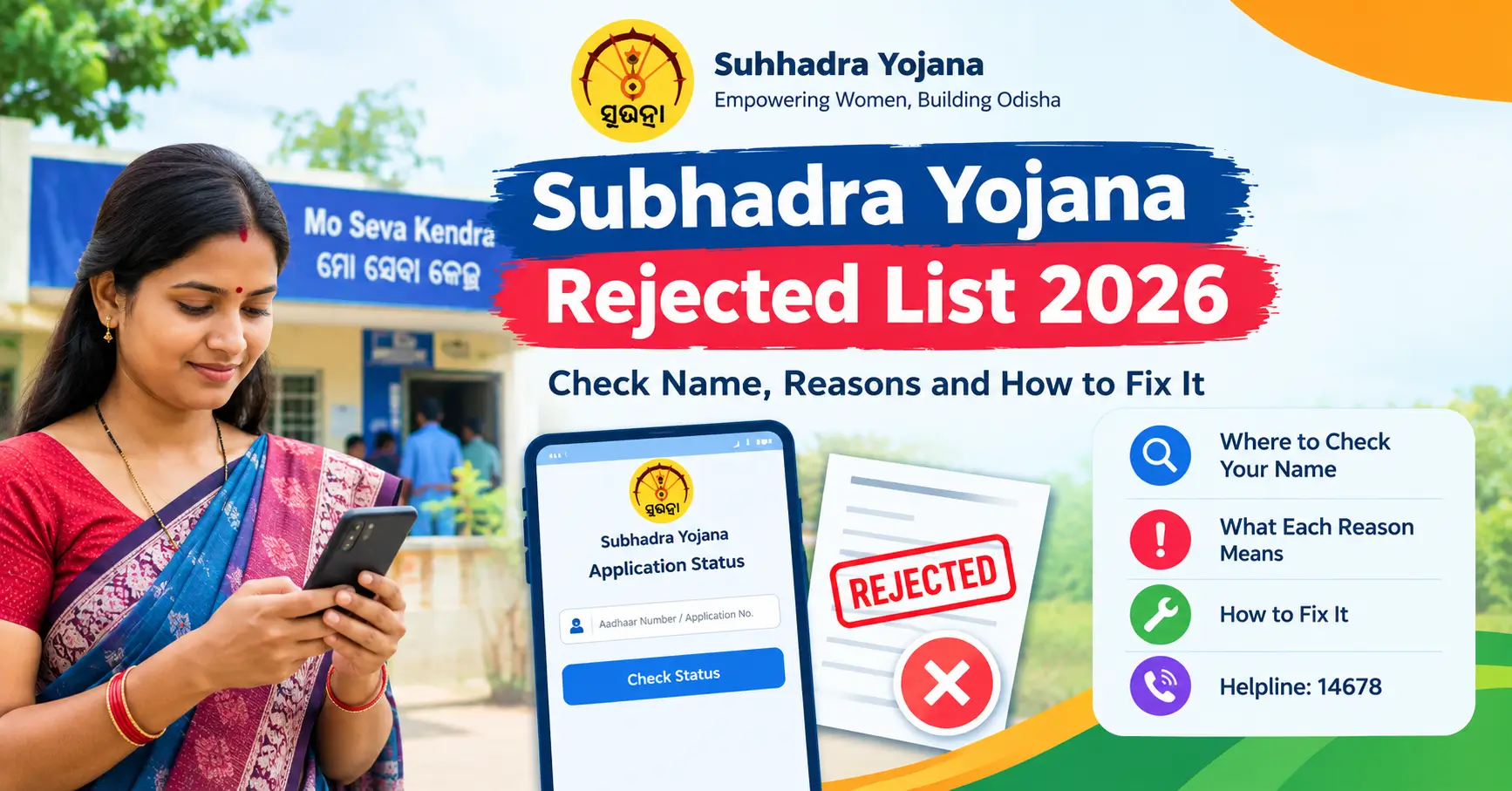
Subhadra Yojana Rejected List 2026: Check Name, Reasons and How to Fix It
You applied for Subhadra Yojana, waited for the ₹5,000 to arrive, and nothing came. Or the portal now says “Rejected”. That feeling is frustrating, but here is the good news: many rejections come from small, fixable problems like an unlinked Aadhaar, a joint bank account or a pending e-KYC.
This guide explains the Subhadra Yojana rejected list in plain language. You will learn where to check your name, what each reason means, and exactly what to do next.
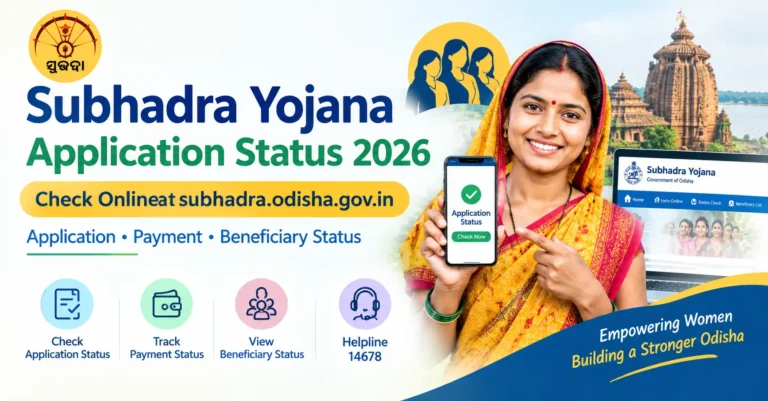
Quick answer: Go to the official portal subhadra.odisha.gov.in, open Application Status and enter your Aadhaar number or application number. If the status is “Rejected”, the reason is shown on the same screen. For payment failures, also check the “Bank A/c Activation or Updation Needed List” (the NPCI failure list). Helpline: 14678.
Latest Update (September 2026)
- The 5th instalment of ₹5,000 was released on 28 August 2026, Raksha Bandhan. News reports put the number of women who received it at about 1.03 crore.
- Before that payment, Deputy Chief Minister Pravati Parida told district officials to finish field verification of pending applications by 25 July 2026, so eligible women were not left out.
- In March 2026 a review was announced for around 2.13 lakh women who missed the 4th instalment, including new applicants and those with pending e-KYC.
- The next payment is expected around International Women’s Day (8 March 2027), following the usual pattern. No official date has been announced yet.
[IMAGE 2: Simple timeline graphic showing the 4th instalment (8 March 2026) and the 5th instalment (28 August 2026). Alt text: Subhadra Yojana latest instalment timeline 2026]
What Is the Subhadra Yojana Rejected List?
Subhadra Yojana is Odisha’s women’s financial assistance scheme. According to the Prime Minister’s Office release at launch, eligible women aged 21 to 60 receive ₹50,000 over five years (2024-25 to 2028-29). That works out to ₹10,000 a year, paid in two equal instalments, directly to an Aadhaar-enabled and DBT-enabled bank account.
The “rejected list” is not one single list. People usually mean one of two things:
| Type of list | What it means | Who is on it | Can it be fixed? |
|---|---|---|---|
| Application rejected | Your application did not clear verification | Women who failed an eligibility or document check | Sometimes, through grievance or a corrected application |
| NPCI failure (Bank A/c Activation or Updation Needed) | Your application may be fine, but the bank account cannot receive DBT | Women whose Aadhaar is not linked, or whose account is not DBT-enabled | Yes, usually at your bank branch |
Knowing which list you are on matters. The fix for one is completely different from the other.
How to Check the Subhadra Yojana Rejected List Online
Portal menus change from time to time, so the wording below may look slightly different on your screen. Always use only the official website. Fake portals are common.
Method 1: Check Your Application Status
- Open subhadra.odisha.gov.in in your phone or computer browser.
- Tap Application Status (some versions show “Track Application Status”).
- Enter your Aadhaar number or application number and complete the OTP.
- Read the result. It shows whether the application is Approved, Rejected or Under Process, along with e-KYC status and payment details.
If it says Rejected, look for the reason shown on the screen. Take a screenshot.
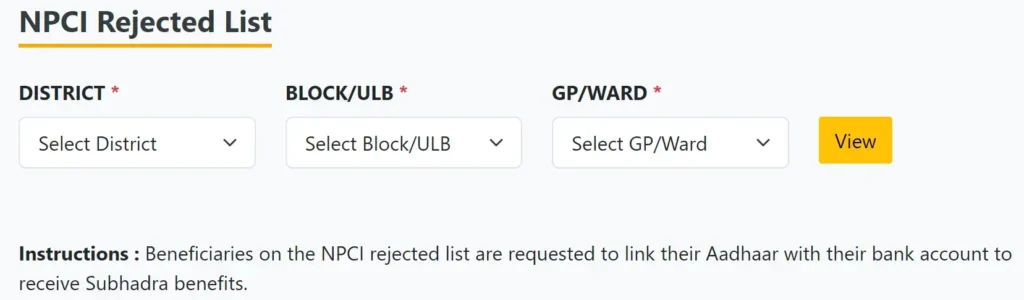
Method 2: Check the NPCI Rejected List (Bank Account Problems)
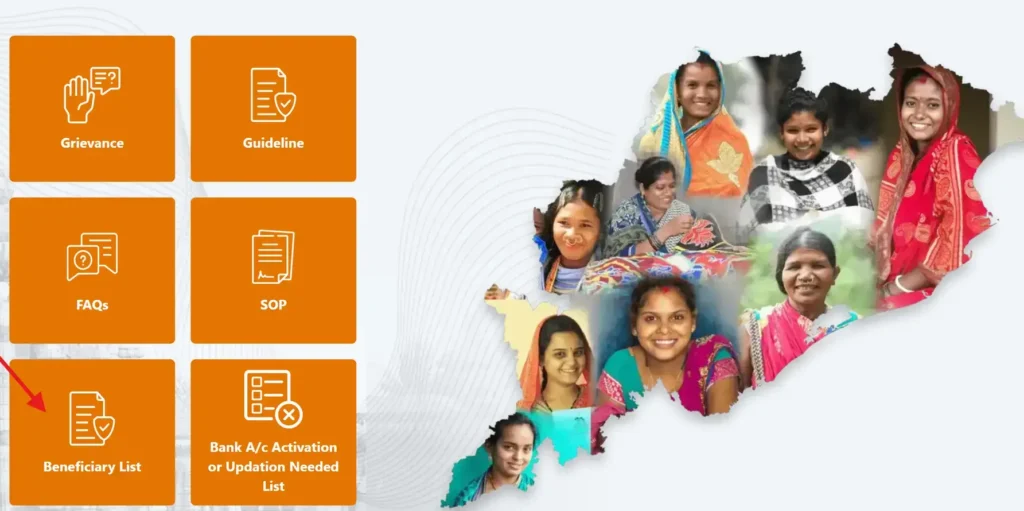
- Visit the official portal homepage.
- Click Bank A/c Activation or Updation Needed List.
- Choose your district, then your block, municipality or GP.
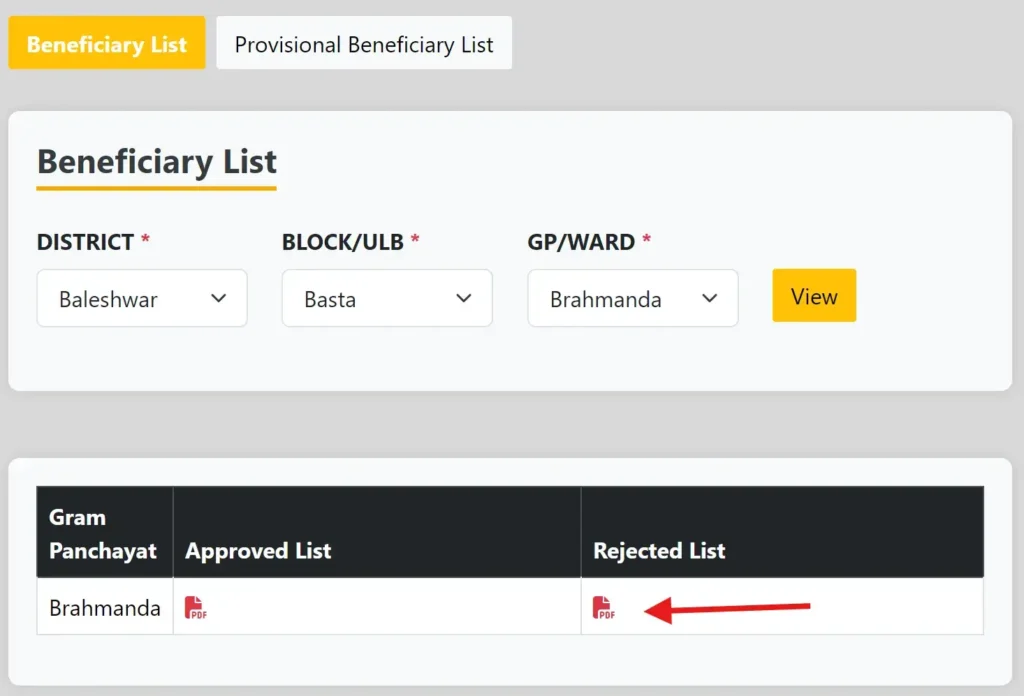
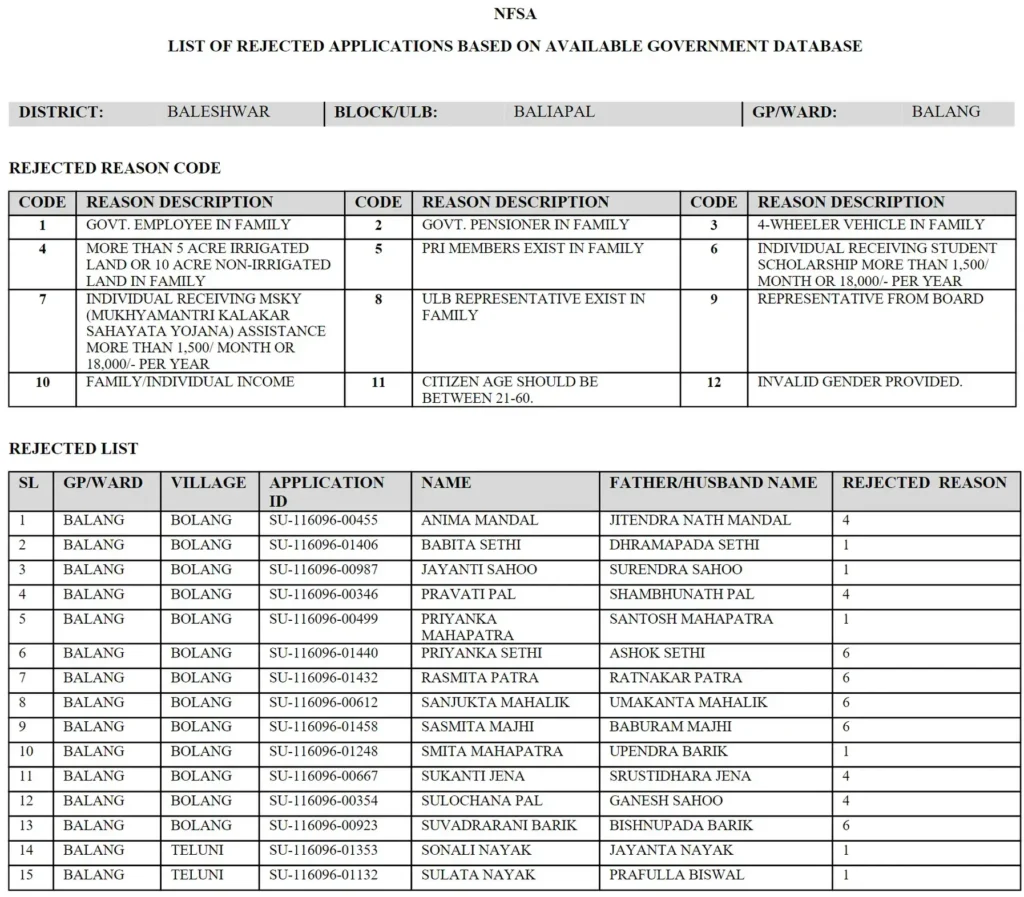
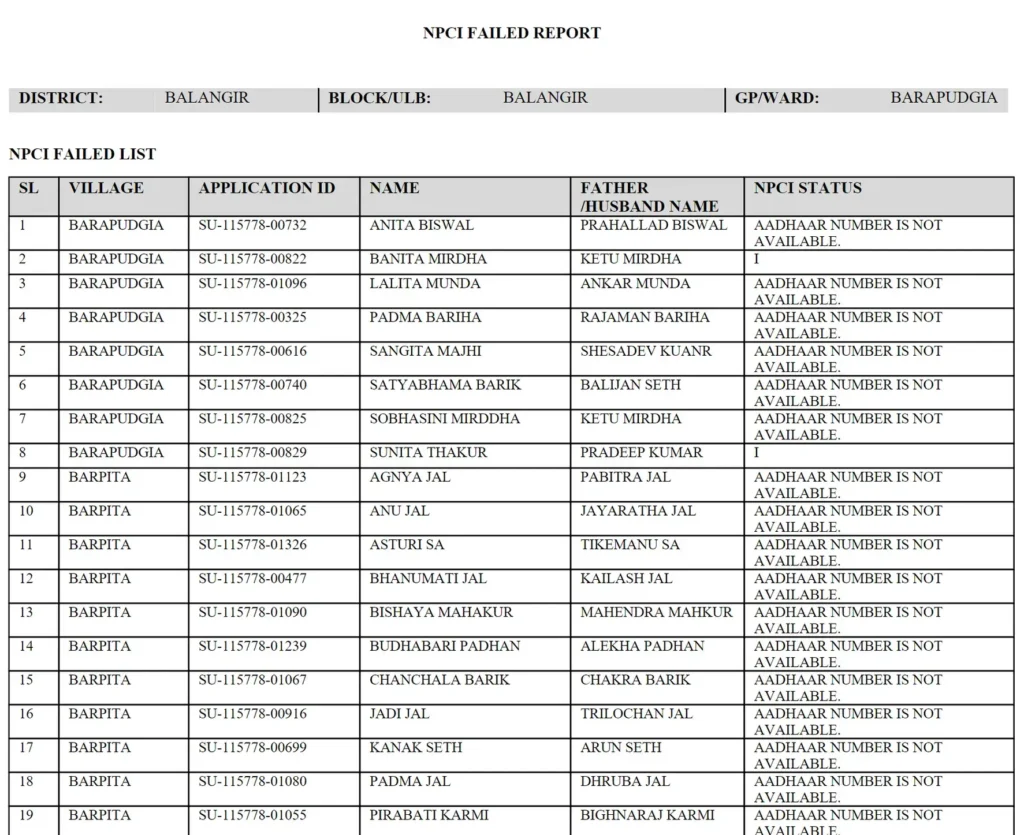
- Open the PDF and search for your name (press Ctrl+F on a computer, or use “Find in page” on mobile).
This list is also available at Block, Municipality and NAC offices.
Method 3: Check Offline
No smartphone? No problem. You can ask at:
- Your nearest Mo Seva Kendra or CSC
- Your Gram Panchayat office
- The local Anganwadi centre
- Your Block or Municipality office
Carry your Aadhaar card, bank passbook and application receipt.
Related Guides on Our Site
- Subhadra Yojana Status Check
- Subhadra Yojana 5th Installment
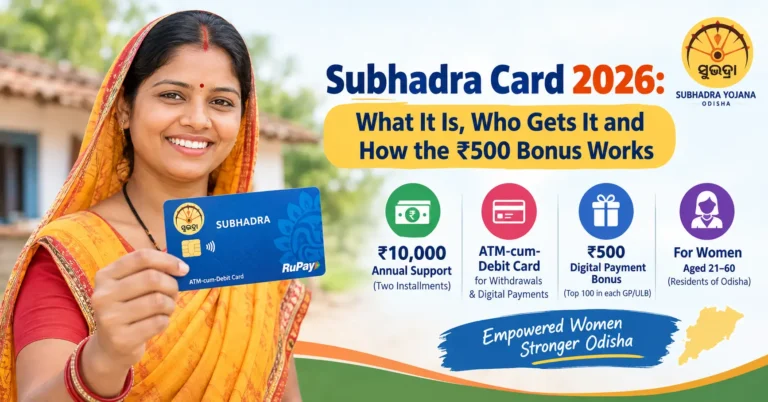
- Subhadra Card 2026: What It Is, Who Gets It and How the ₹500 Bonus Works
Why Do Applications Get Rejected? Reasons and Fixes
Based on the scheme guidelines and the most common cases reported, these are the main causes.
| Reason | What it usually means | What you can do |
|---|---|---|
| Aadhaar not linked to bank | DBT payment cannot be sent | Visit your bank and ask for Aadhaar seeding |
| Account not DBT-enabled | Account is not mapped for government transfers | Request DBT or NPCI mapping at the branch |
| Joint account | The scheme needs a single-holder account in the woman’s name | Open or use a single-holder account |
| Name mismatch | Name differs between Aadhaar and bank record | Correct the record in Aadhaar or in the bank |
| e-KYC pending or failed | Identity check is incomplete | Complete face authentication or OTP e-KYC |
| Age outside 21 to 60 | Age is counted from the Aadhaar date of birth | Check DOB in Aadhaar, correct if wrong |
| Income or category issue | Family may be an income tax payer, or a government employee is in the household | File a grievance with proof if this is wrong |
| Duplicate application | More than one application from the same household or person | Keep one valid application |
| Inactive or frozen account | Bank account is dormant or under KYC hold | Reactivate the account at the bank |
| Incomplete documents | Missing or unclear document | Submit correct documents through the proper channel |
According to the scheme guidelines, other conditions also apply, such as permanent residency in Odisha, no family member paying income tax, and not receiving ₹1,500 or more a month from another government scheme. For the binding text, read the official guidelines on the Women and Child Development Department website (linked in the sources below).

How to Fix an NPCI Rejection (Step by Step)
This is the most common problem, and it usually has a simple solution.
- Go to your bank branch with your Aadhaar card, passbook and a mobile number linked to Aadhaar.
- Ask the bank to link (seed) Aadhaar with your account and enable DBT.
- Make sure the account is single-holder and active.
- Keep the bank’s acknowledgement or receipt.
- Wait about a week or two and check the list again. Bank and NPCI records take time to sync.
- If your name is still there after that, call 14678 with your application number and the bank receipt ready.
What to Do If Your Application Is Actually Rejected
If the reason is an eligibility issue and you believe the decision is wrong, do this:
- Read the exact reason on your status page before doing anything.
- Collect proof. For example, income certificate, ration card, Aadhaar with correct date of birth, or a bank statement.
- File a grievance through the Grievance section on the official portal, or at your Mo Seva Kendra, with your application number.
- Follow up with the block or district office if there is no reply.
- Only reapply when the portal or your local office says new applications are open. Reapplying without fixing the cause usually gives the same result.
The state has shown some flexibility on this. After the September 2025 review meeting, news reports said the government planned door to door checks for people in the rejected list, and district teams were later given a July 2026 deadline to clear pending verifications. If your case is a wrong rejection, keep pushing through the official channels.
Understanding Status Messages
| Status | Simple meaning | Next step |
|---|---|---|
| Under Process | Application is still being checked | Wait, then check again |
| Approved | You are eligible | Make sure e-KYC and bank details are complete |
| Rejected | A condition was not met | Read the reason and act on it |
| e-KYC Pending | Identity check not done | Complete e-KYC |
| Payment Failed | Money could not be credited | Check bank and NPCI details |
Complete e-KYC to Avoid Rejection
A pending e-KYC can stop your payment even if everything else is correct. The state has moved towards face authentication for e-KYC. It can be done through the official SUBHADRA app process or with help at a Mo Seva Kendra, CSC or Anganwadi centre. Ask the operator which option is available near you.
Want the full process? Read our guide on Subhadra Yojana Face eKYC.
Documents to Keep Ready
- Aadhaar card
- Bank passbook (single-holder, in your name)
- Application number or receipt
- Mobile number linked with Aadhaar
- Income and residence proof, if asked
Beware of Fraud and Middlemen
Do not pay anyone to “remove your name from the rejected list”. Officials at government centres do not need a bribe for this, and the state has said application and e-KYC support is free. Also avoid unofficial websites that ask for your Aadhaar and OTP. The official website ends with .gov.in.
More related Odisha schemes
Odisha Free Laptop Distribution List 2026: ₹30,000 Laptop DBT, Merit List and How to Check
CM Kisan Yojana Status 2026: Check Online at cmkisan.odisha.gov.in Using Aadhaar or Token Number
Odisha Scholarship Portal 2026-27: How to Apply, Check Status and Avoid Common Mistakes
Helpline and Official Contacts
- Toll-free helpline: 14678
- Portal: subhadra.odisha.gov.in
- Offline help: Mo Seva Kendra, CSC, Anganwadi centre, Block office
Calling hours are reported differently on different websites, so call during daytime if the line is busy.