Subhadra Yojana Face eKYC 2026: Latest Update, Process & Payment Status
Many women think that being listed as a Subhadra Yojana beneficiary automatically guarantees every instalment. However, beneficiaries must continue to meet the scheme’s verification and payment requirements, including e-KYC and the necessary bank/DBT linkage.
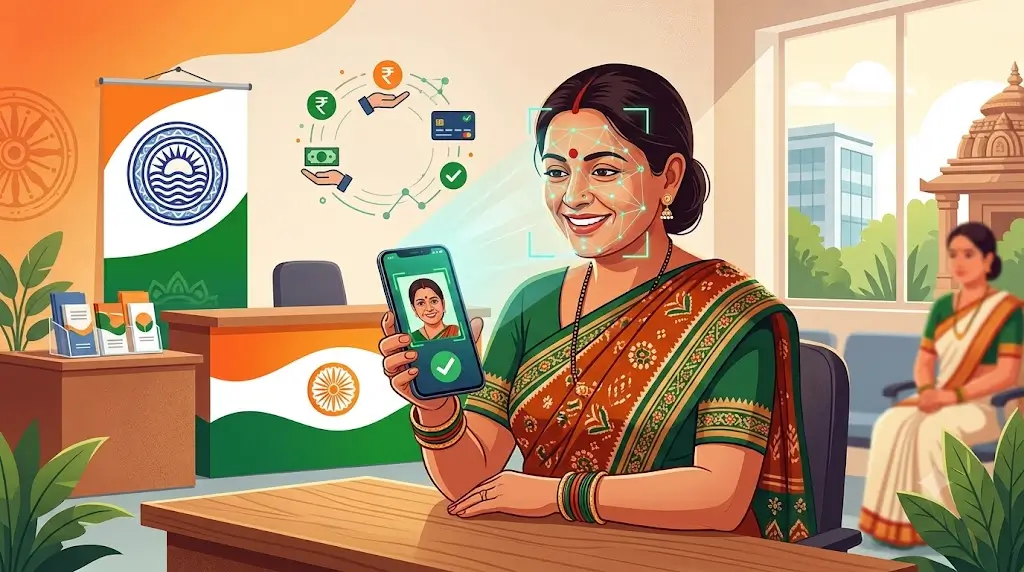
Under the Subhadra guidelines, e-KYC can be completed through biometric authentication or facial recognition. The Odisha government’s Subhadra 2.0 portal specifications also include Aadhaar-based Face e-KYC as part of the digital verification process.
If you have already received previous instalments but your latest payment is pending, checking your e-KYC, application status and Aadhaar/NPCI-related bank status can help identify the problem.
The fifth Subhadra instalment is no longer upcoming. The Odisha government launched and disbursed the fifth instalment on 28 August 2026, with financial assistance transferred directly to the accounts of more than 1 crore 3 lakh women beneficiaries.
Why eKYC and DBT Status Matter for Your Subhadra Payment
Being listed as a beneficiary does not by itself explain whether a particular payment has been successfully credited. Payment processing also depends on verification and the required DBT and bank-related conditions.
Some beneficiaries may experience payment delays because of pending verification, e-KYC, DBT activation, bank-account or NPCI-related issues. The Subhadra guidelines require beneficiaries to complete e-KYC and maintain a single-holder bank account enabled for Aadhaar-based payment and DBT.
The fifth instalment has already been released. If you have not received it, checking your current e-KYC, application/beneficiary status and bank/NPCI-related details is more useful than waiting for a future fifth-installment release date.
How to Complete Subhadra Yojana eKYC
Subhadra e-KYC can be completed through the verification methods provided under the scheme. The official Subhadra guidelines state that e-KYC must be completed through biometric authentication, such as fingerprint or iris verification, or through facial recognition.
Option 1 — Do It Yourself on the Portal
If Face e-KYC is available through the official Subhadra application workflow, follow the on-screen Aadhaar authentication and face-verification instructions. Do not enter Aadhaar or OTP details on third-party websites.
If you cannot complete the verification yourself, use an authorised service point or follow the assistance instructions provided through the official Subhadra channels.
More related Odisha schemes
Subhadra Yojana 5th Installment 2026: ₹5,000 Payment Status, Release Date & Latest Update
Subhadra-yojanain.com/category/blog
Option 2 — Get It Done at a Centre in Person
If you cannot complete the verification through the available online process, follow the instructions provided by the official Subhadra system or an authorised service point.
Carry your Aadhaar and other documents required for verification. The exact verification method available to you can depend on the current Subhadra application and authentication workflow.
Do not give your Aadhaar OTP, bank details or other confidential information to an unknown person claiming to provide Subhadra e-KYC services.
Don’t Stop After Submitting — Verify the Status Too
Completing an e-KYC or authentication step does not mean you should ignore the application status afterwards. Check your Subhadra application or beneficiary status again and confirm that the verification has been successfully recorded.
If the status remains pending, shows an error, or your payment is still not credited, use the official Subhadra support channels or helpline to ask about your application and e-KYC status.
Payment Still Not Coming Even After eKYC Shows Complete?
If your e-KYC status is complete but the money has not been credited, check both your beneficiary/application status and your bank/DBT details.
Aadhaar seeding and NPCI mapping can be important for DBT payments. Aadhaar being linked to a bank account and the account being properly enabled for DBT are related but not necessarily the same banking process.
If you need to check your bank details:
- Visit your bank branch or use the bank’s authorised service channel.
- Ask the bank to check whether your Aadhaar is seeded with the account for DBT.
- Ask whether the account has the required NPCI mapping for receiving Aadhaar-based DBT payments.
- Confirm that the bank account is active and belongs to the beneficiary.
Your account should meet the relevant Subhadra payment requirements:
| Requirement | Why It Matters |
|---|---|
| Single-holder bank account | The Subhadra guidelines require a single-holder account for beneficiaries |
| Aadhaar-linked and DBT-enabled | The benefit is transferred through the DBT system to the beneficiary’s eligible bank account |
| Correct bank/NPCI mapping | Proper mapping helps route Aadhaar-based DBT payments to the intended account |
The official Subhadra guidelines specifically require beneficiaries to maintain a single-holder bank account and complete the necessary Aadhaar payment bridge, DBT and e-KYC formalities.
Join Subhadra Yojana WhatsApp Channel & Facebook Page for Instant Updates 2026
Frequently Asked Questions
I already received all 4 earlier installments — do I still need to do this?
Previous payments do not automatically mean that every verification requirement can be ignored. Check your current Subhadra e-KYC and application status. The official guidelines also state that applicants who recently completed e-KYC for certain government schemes, including PM KISAN, NFSA and SFSS, may not need to repeat the process because their data can be obtained from existing government databases.
Is there any charge for Face eKYC or form scanning?
Avoid paying unofficial agents for Subhadra e-KYC or payment processing. Use the official Subhadra portal or authorised government/service channels for verification and assistance.
What’s the deadline to finish this?
The fifth Subhadra instalment is no longer an upcoming payment. It was launched and disbursed on 28 August 2026. If you have not received the fifth instalment, check your current e-KYC, beneficiary/application and DBT-related status through official channels rather than relying on old information about an upcoming release date.
My eKYC shows Complete, but NPCI status doesn’t. What now?
If your e-KYC is complete but the NPCI/DBT status is not active, contact your bank and ask them to check Aadhaar seeding and DBT/NPCI mapping for the account associated with your Subhadra benefit.
Can someone else complete my eKYC for me?
Face verification is intended to verify the beneficiary’s own identity, so the beneficiary needs to be present for the authentication process. If assistance is required, use an authorised service point rather than giving your Aadhaar OTP or other confidential information to an unknown person.
Subhadra Yojana Face eKYC 2026: Important Update
The Subhadra scheme’s official guidelines require e-KYC compliance and allow verification through biometric authentication or facial recognition. The current official Subhadra information also states that assistance is transferred to Aadhaar-seeded and DBT-enabled bank accounts.
The fifth instalment has already been released on 28 August 2026. Therefore, beneficiaries who have not received the payment should check their current e-KYC, application/beneficiary and bank/DBT status rather than waiting for the fifth instalment to be announced.
**Always cross-check your current eKYC and NPCI status directly on subhadra.odisha.gov.in, since portal requirements can be updated by the Odisha government at any time. For Subhadra-related assistance, the Odisha government lists the Subhadra Helpline at 14678.