CM Kisan Odisha e KYC 2026: Online Process, Status Check, Common Problems and Latest Update
Read in another language:
CM Kisan Odisha e KYC 2026
If your CM Kisan money is stuck, the first thing to check is your e-KYC. CM Kisan Odisha e KYC 2026 is done with your Aadhaar number and an OTP on the mobile number linked to Aadhaar, on the official CM KISAN portal. If OTP does not work for you, you can finish it with fingerprint or iris scan at a nearby Common Service Centre (CSC) or Mo Seva Kendra.
This guide covers the exact steps, what each screen message means, why people get stuck, and what has changed in 2026. We have checked the details against the official Government of Odisha portal pages, and wherever something could not be confirmed we have said so.
Latest update: On 4 September 2026, Chief Minister Mohan Charan Majhi released the fifth CM-KISAN instalment, transferring over ₹833 crore by DBT. According to the Odisha Chief Minister’s official release, more than 41 lakh farmer families received the payment. The release confirms transfers of more than ₹833 crore through DBT; the detailed beneficiary-category figures should be checked against the official release before publication. The CM KISAN portal has also been open for new farmer registration since 6 July 2026, and an AgriStack Farmer ID is now mandatory for it.
CM Kisan Odisha e KYC 2026 at a Glance
| Detail | Information |
|---|---|
| Scheme | CM Kisan Yojana (CM-KISAN), Odisha |
| Run by | Department of Agriculture and Farmers’ Empowerment, Government of Odisha |
| Who needs e-KYC | Applicants/beneficiaries when the official portal shows e-KYC as pending or required |
| Ways to do e-KYC | Aadhaar OTP online, or fingerprint/iris at CSC or Mo Seva Kendra |
| You need | Aadhaar number and the mobile number linked to Aadhaar |
| Official e-KYC page | cmkportal.odisha.gov.in/Ekyc/Index |
| Official portal | cmkisan.odisha.gov.in |
| Helpline | 155333 (Krushi Samrudhi helpline) |
What Is CM Kisan e-KYC and Why Does It Matter?
e-KYC is an Aadhaar-based identity check. The portal confirms through UIDAI that the person registered is the real Aadhaar holder. The official CM-KISAN portal and its farmer-registration guidance describe Aadhaar-based e-KYC as part of enrolment. OTP and biometric authentication options may depend on the portal flow and the service available at the authorised centre.
Why it matters in real life: CM-KISAN assistance is transferred through DBT. e-KYC alone does not guarantee payment; beneficiary eligibility, verification status, and bank-account/Aadhaar seeding can also affect a transfer.
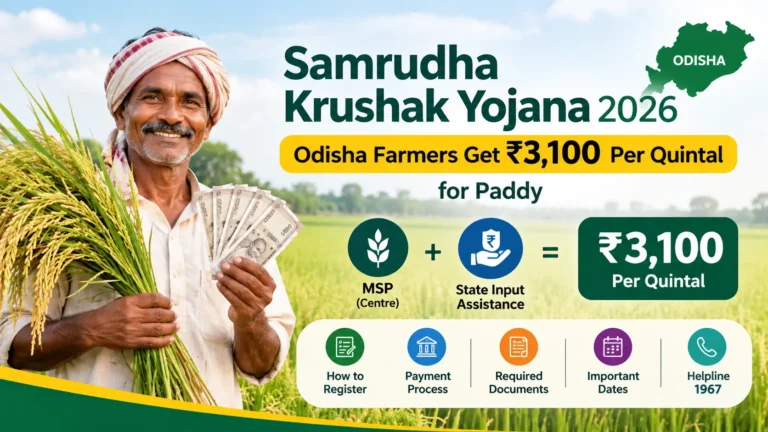
CM-KISAN pays small and marginal farmers ₹4,000 a year in two instalments of ₹2,000 each, and landless agricultural households get ₹12,500 in three instalments. These are the figures announced when the scheme replaced KALIA in 2024.
Is There a Last Date for CM Kisan e-KYC in 2026?
This is where many websites confuse people, so here is the honest position.
We could not find any current official notice on the CM KISAN portal that sets a fresh last date for e-KYC in 2026. Earlier deadlines, such as 9 September 2025, have been reported by other websites, and some later extensions are quoted too, but those dates have already passed and are not listed as live on the official pages we could access.
What this means for you: the official e-KYC page is still available, so do not wait. If a website claims “last date tomorrow” with no link to a government notice, treat it as a traffic trick. Before you act on any date, check the notice section of cmkisan.odisha.gov.in.
What You Need Before You Start
- Your 12 digit Aadhaar number
- The mobile number linked to that Aadhaar (the OTP goes there, not to any other phone)
- A working phone with network signal
- For biometric e-KYC, your Aadhaar number and your own fingers or eyes at the centre
Keep your bank passbook handy as well, because the portal also shows Aadhaar and bank seeding details during registration.
How to Do CM Kisan Odisha e KYC Online (Step by Step)
- Open the official e-KYC page of the CM KISAN portal: cmkportal.odisha.gov.in/Ekyc/Index. You can also reach it from cmkisan.odisha.gov.in.
- Enter your Aadhaar number and the captcha shown on screen.
- Tap Get OTP. Your Aadhaar will be authenticated with UIDAI, and you can go ahead only if the authentication works.
- Enter the OTP that arrives on your Aadhaar-linked mobile number.
- After successful verification, the portal shows a confirmation message. Take a screenshot for your records.
One point worth noting: follow the fields shown on the official page you open. The dedicated status page accepts an Aadhaar/Token Number, while the e-KYC or registration screen may ask for Aadhaar details. Do not enter an application number unless the official screen specifically requests it.
How to Do e-KYC With Fingerprint or Iris
If the OTP method fails, or your Aadhaar is not linked to a working mobile number, the portal itself directs you to a Common Service Centre or Mo Seva Kendra for e-KYC authentication by fingerprint or iris.
Tips for a smooth visit:
- Carry your original Aadhaar card, and go in the morning when centres are less crowded.
- Tell the operator clearly that you want CM KISAN e-KYC, not a general Aadhaar service.
- Ask for a printed or on-screen confirmation before you leave.
- Never pay for something that is free on the portal. Ask the centre about any applicable service charge before proceeding and request a receipt. Do not pay an agent who promises guaranteed approval or payment.
What Do the Screen Messages Mean?
| What you see | What it usually means | What to do |
|---|---|---|
| OTP screen opens, OTP arrives | Your Aadhaar is found and linked to a mobile | Enter OTP and finish |
| “Your eKYC has already done!” | The portal indicates that e-KYC has already been completed | Check your application/status and beneficiary details; do not repeat the process unless the portal instructs you to |
| Confirmation message after OTP | e-KYC successful | Save a screenshot |
| No OTP received | Aadhaar mobile number is wrong, inactive or has no SMS service | Fix the number first (see below) |
CM Kisan e-KYC Not Working? Common Problems and Fixes
OTP not coming. The OTP goes only to the mobile number registered with Aadhaar. If the OTP does not arrive, confirm that you are using the mobile number required by the current Aadhaar authentication screen. UIDAI’s MyAadhaar portal provides Aadhaar services; if your mobile number needs updating, follow UIDAI’s official instructions or visit an authorised Aadhaar centre. If the number is old or lost, update it at an Aadhaar enrolment centre, then try again. Meanwhile, use the fingerprint option at a CSC.
“Aadhaar not found” or no beneficiary match. This usually means you are not registered on the CM KISAN portal under that Aadhaar number, or the number was entered wrongly during registration. The portal warns that an application can be rejected if the Aadhaar number given is wrong or not your own. Check your registration and status first.
Portal slow or registration affected. The CM KISAN homepage has carried a notice that scheduled server maintenance may temporarily affect the new farmer registration process. If a page does not load, try early morning or late evening.
e-KYC done but money not received. e-KYC is only one step. Your bank account must also be Aadhaar-linked and DBT-enabled, and your name must be in the beneficiary list. Visit your bank branch and ask them to confirm Aadhaar seeding, and then look at your status on the portal.
If you still cannot solve it, call the Krushi Samrudhi helpline on 155333. Please confirm the number on the official portal before calling, since helpline details can change.
New Farmer Registration vs e-KYC: Do Not Mix Them Up
These are two different things, and mixing them up is one of the biggest reasons farmers lose time.
- e-KYC is for people who are already enrolled or are completing enrolment, and confirms your Aadhaar identity.
- New farmer registration is for people who are not yet in the scheme.
The CM KISAN portal opened for new farmer registration from 6 July 2026, and the official site states that an AgriStack Farmer ID is mandatory for registration. The portal’s registration instructions also list these requirements:
- Register your land details on the Krushak Odisha portal first
- OTP-based Aadhaar e-KYC or biometric e-KYC through a CSC
- An Aadhaar-linked bank account
- A ration card for identifying family members (not needed for medium and large farmers)
- A unique mobile number
- An MGNREGA job card for landless agricultural households
Farmer categories on the portal are small and marginal farmers (land below 2 hectares), medium and large farmers, and landless agricultural households. One registration covers both PM KISAN and CM KISAN, except for government employees and pension holders.
You can create or check your farmer registry details on Krushak Odisha (krushak.odisha.gov.in) and the Odisha AgriStack farmer registry at odfr.agristack.gov.in.
How to Check CM Kisan e-KYC Status and Payment Status
The official portal provides a Check Your Status page that accepts an Aadhaar or token number and captcha. Use the status and payment-detail options shown there to review the current application and payment information.
- Go to cmkisan.odisha.gov.in.
- Choose the e-KYC status or status check option.
- Enter your Aadhaar number or token number, depending on the fields displayed, and complete the captcha.
- Read the result and note the exact wording.
A quick warning on website names. Many people search for “cmkisan.gov.in status check”, but the working official address is cmkisan.odisha.gov.in. If a site with a different ending asks for your Aadhaar or OTP, close it.
How to look for your name in the CM Kisan Odisha list. Use the official Beneficiary List (cmkportal.odisha.gov.in/BeneficiaryList) page and select your district, block/town, and GP/ULB details. If you cannot find your village in the list you expected, check your status with Aadhaar instead, since list formats and options on the portal can change.
CM Kisan Instalment Update 2026
The scheme’s published schedule describes two seasonal instalments for small and marginal farmers, generally linked to Nuakhai and Akshaya Tritiya. Always use an official announcement for a confirmed release date.
| Instalment | Date | Details |
|---|---|---|
| 1st | 8 September 2024 | ₹925 crore to about 46 lakh farmers, launched at Sambalpur on Nuakhai |
| 4th | 20 April 2026 | ₹838.48 crore to 41.68 lakh farmers (as reported) |
| 5th | 4 September 2026 | Over ₹833 crore, ₹2,000 each, for the 2026-27 Rabi season |
The next instalment has not been officially announced. Going by the pattern, it could come around Akshaya Tritiya in 2027, but treat that as an expectation and not a promise.
If you did not get the 5th instalment, follow this order: confirm e-KYC, confirm bank seeding, confirm your name in the list, and then call the helpline.
Do Not Confuse These Schemes
- CM Kisan Yojana (Odisha) is the scheme covered in this article. It replaced KALIA in 2024, and the old KALIA portals are no longer the place to check your status.
- Mukhyamantri Kisan Kalyan Yojana is a different scheme run in Madhya Pradesh. If you searched “cm kisan kalyan yojana”, make sure you are reading about the right state.
- PM Kisan Samman Nidhi is the central government scheme at pmkisan.gov.in. It has its own e-KYC. In Odisha, the CM KISAN portal handles registration for both.
Staying Safe From Fake Websites and Agents
- Start from the official CM-KISAN portal (cmkisan.odisha.gov.in) and follow links from there. Check the full domain carefully; a .gov.in ending alone is not enough if the spelling or subdomain is suspicious.
- Never share your OTP, bank password or PIN with anyone, including “helpers” on social media.
- Online access to official information does not require an agent. Before biometric authentication at a service centre, ask about any applicable service charge and request a receipt.
- If you get a call or WhatsApp message saying your money will stop unless you click a link, do not click.
Frequently Asked Questions
Is e-KYC mandatory for CM Kisan Odisha?
Aadhaar-based e-KYC is part of the official enrolment process. Follow the current instructions on the CM-KISAN portal to see which authentication method applies to your case.
How can I do CM Kisan Odisha e KYC online?
Open the official e-KYC page, enter your Aadhaar number and captcha, tap Get OTP, and enter the OTP sent to your Aadhaar-linked mobile.
Can I do e-KYC without an Aadhaar-linked mobile number?
Not by OTP. You can use fingerprint or iris authentication at a CSC or Mo Seva Kendra, or update your mobile number in Aadhaar first.
What is the last date for CM Kisan e-KYC in 2026?
We could not find a fresh official last date on the portal. Do not wait for one, and check the notice section on cmkisan.odisha.gov.in.
Is AgriStack Farmer ID needed for e-KYC?
The official CM-KISAN portal says an AgriStack Farmer ID is mandatory for new farmer registration from 6 July 2026. This is a registration requirement; check your own status page to see whether any further action is pending for an existing application.
How much money do farmers get under CM Kisan Odisha?
Small and marginal farmers get ₹4,000 a year in two instalments of ₹2,000. Landless agricultural households get ₹12,500 in three instalments.
When was the last CM Kisan instalment released?
The Odisha Chief Minister’s official website reports that the fifth instalment was released on 4 September 2026, with more than ₹833 crore transferred through DBT.
Why is my CM Kisan payment not coming after e-KYC?
Usual causes are bank account not Aadhaar-seeded, DBT not enabled, name missing from the beneficiary list, or details not matching Aadhaar. Check each one in that order.
Which helpline should I call?
The Krushi Samrudhi helpline, 155333, is listed for CM KISAN help. Verify it on the official portal before calling.
Is the CM Kisan Odisha app on Play Store official?
Several apps that show lists and status are third party. The official services are on the .gov.in portals, so do not enter Aadhaar details into unofficial apps.
Related Guides on Our Site
Many farm families in Odisha also benefit from other state schemes. If the women in your household receive Subhadra payments, remember that Subhadra Yojana face e-KYC is a separate, face-based process and not the same as CM Kisan e-KYC. You can also read our guides on Subhadra Yojana application status, the Subhadra Yojana 5th instalment, and Seva Setu Kendra services. For the complete picture of Odisha’s women welfare scheme, visit our Subhadra Yojana guide.
Disclaimer: subhadra-yojanain.com is an independent website and is not affiliated with the Government of Odisha. This article is for general guidance. Rules, dates and amounts can change, so always confirm on the official portal. We never ask for your Aadhaar number, OTP or bank details.