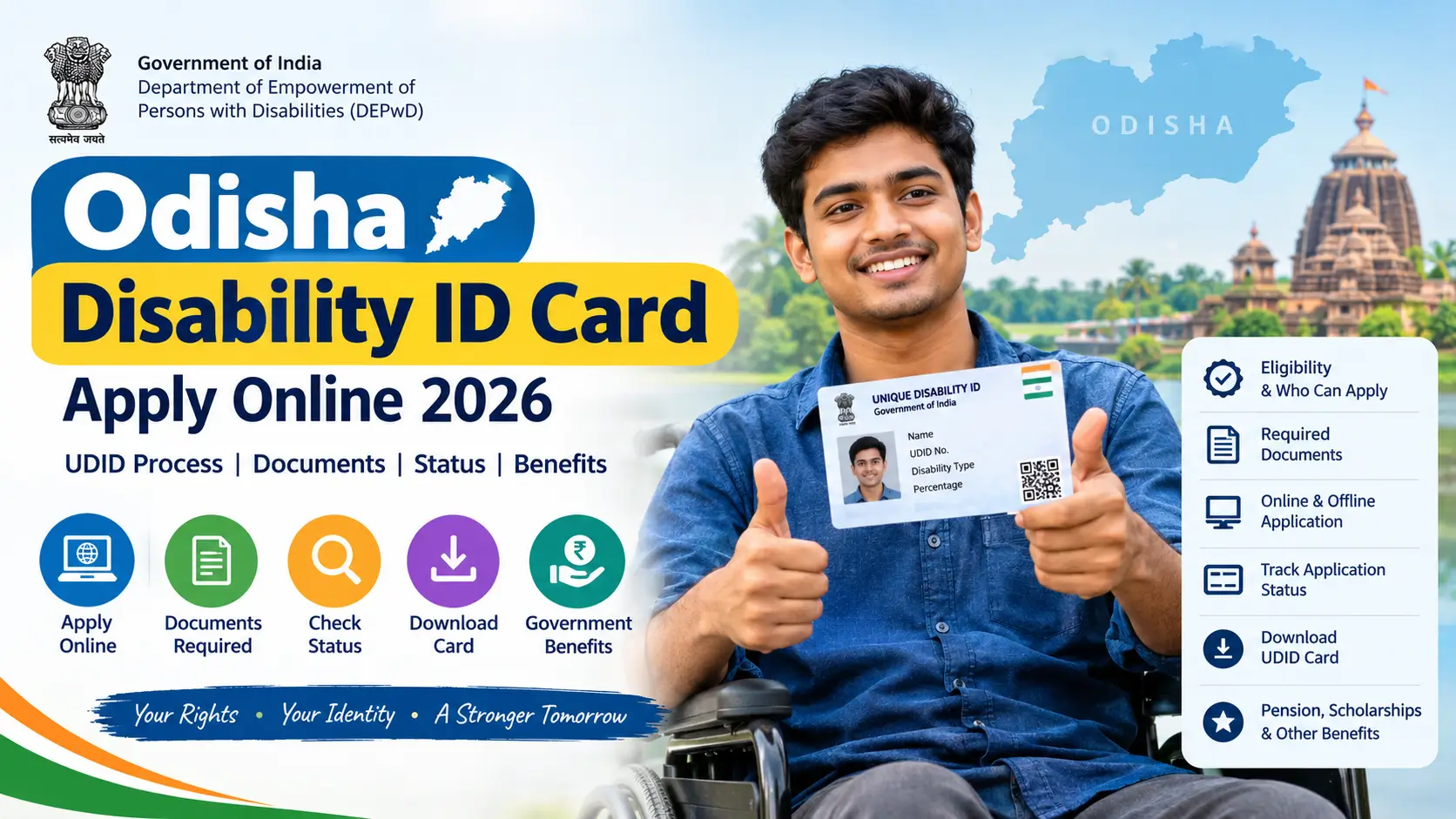
Odisha Disability ID Card Apply Online 2026: Apply Online, Status, Documents & Benefits
Read in another language:
Odisha Disability ID Card (PWD) 2026
If you are looking for an Odisha disability ID card, the first step is to understand where the application is processed. The disability certificate and Unique Disability ID (UDID) card are issued through the Government of India’s official UDID system, available at swavlambancard.gov.in.
Residents of Odisha can use this portal to apply for a disability certificate and UDID card, track an application, download available documents and request renewal or replacement when required. The medical authority assesses the applicant and determines the disability percentage.
The card may also help eligible residents apply for Odisha government pensions, scholarships and other disability-related benefits. However, receiving a UDID card does not automatically guarantee eligibility for every scheme.
This guide explains how to apply online, which documents to prepare, how Aadhaar e-KYC works, how to check your application status and where to find official information about benefits in Odisha.
Last updated: October 26, 2026. Always confirm the latest instructions on the official portal before submitting your application.
Odisha Disability ID Card 2026: Quick Overview
| Detail | Information |
|---|---|
| Common name | Odisha Disability ID Card or PWD ID Card |
| Official card | Unique Disability ID (UDID) |
| Issuing system | Government of India’s UDID system |
| Official application portal | swavlambancard.gov.in |
| Odisha department | Social Security and Empowerment of Persons with Disabilities (SSEPD) |
| Application mode | Online, with offline assistance available through designated authorities |
| Eligible disability categories | 21 categories under the RPwD Act, 2016, subject to applicable rules |
| Application fee | No application fee |
| Medical assessment | Required as directed by the medical authority |
| Main uses | Disability identification, certification and access to eligible benefits |
What Is the Odisha Disability ID Card?
The Odisha disability ID card commonly refers to the Unique Disability ID (UDID) card issued through the national disability certification system.
The UDID project provides a standardised system for disability identification and certification across India. It also allows applicants to track their applications and access services related to their certificates.
Two related documents are important:
- Disability certificate: Records the disability assessed by the authorised medical authority, including the applicable percentage.
- UDID card: Contains a unique identification number linked to the person’s disability record.
The card and certificate are related, but they serve different purposes. You should retain both documents when they are available.
If you find an older guide directing you to a separate PWD card application on the Odisha SSEPD website, check the current official instructions first. The national UDID portal is the main starting point for disability certification and card applications.
Official links:
- Apply for a UDID card (https://www.swavlambancard.gov.in)
- DEPwD: Official UDID information (depwd.gov.in/en/unique-disability-id-udid)
- Odisha SSEPD Department (ssepd.odisha.gov.in/en)
Who Can Apply for a UDID Card in Odisha?
Indian citizens with disabilities covered under the Rights of Persons with Disabilities (RPwD) Act, 2016, can apply for disability certification through the prescribed process.
The central government currently lists 21 recognised disability categories. The authorised medical authority assesses the applicant according to the applicable assessment guidelines.
You may need to apply if you:
- Do not have a disability certificate or UDID card.
- Have an existing paper-based disability certificate that needs to be digitised.
- Need to renew an existing certificate or card.
- Need a replacement for a lost card.
- Have been instructed to update or verify information in your disability record.
A legal guardian may assist with an application where permitted, including for a minor or a person who cannot complete the process independently.
Is 40% disability compulsory?
No. A disability assessment and eligibility for a particular welfare scheme are two different matters.
The medical authority determines the disability percentage under the applicable guidelines. A benchmark disability generally means disability of 40% or more, as defined under the RPwD Act.
Many Odisha benefits, including certain disability pensions and scholarships, have a benchmark disability requirement. Other eligibility conditions may also apply.
Therefore, do not assume that a person assessed below 40% cannot obtain a disability certificate. Check the official certification rules and the eligibility conditions of the particular scheme.
Documents Required for an Odisha Disability ID Card
Prepare the following documents and information before beginning your application. The exact requirements may depend on your circumstances and the instructions shown on the official portal.
| Document or information | Why it may be needed |
|---|---|
| Aadhaar details | Identity verification and prescribed e-KYC |
| Recent passport-size photograph | Applicant identification |
| Signature or thumb impression | Application identification, where required |
| Address details or supporting proof | Verification of residential information, if requested |
| Existing disability certificate | Useful when updating or digitising an older certificate |
| Medical reports and hospital records | May support the medical assessment |
| Active mobile number | OTP verification and application updates |
| Email address | Registration or communication, where required |
Important: Follow the document checklist displayed during your actual application. Do not assume that a PAN card, caste certificate, bank passbook or income certificate is compulsory for every UDID application. These documents may be relevant to a separate welfare scheme.
Make sure your scanned documents are clear and readable. Your name, date of birth and other personal details should match the identity information required by the portal.
How to Apply for an Odisha Disability ID Card Online
Follow these steps to begin your application.
Step 1: Visit the official UDID portal
Open swavlambancard.gov.in in your browser.
Check the website address carefully before entering personal information. Avoid unofficial websites that offer to issue a disability card for a fee.
Step 2: Select the application option
Look for the option to apply for a Disability Certificate and UDID Card.
Portal labels and page layouts can change. Read the instructions shown on the current application page before continuing.
Step 3: Register as an applicant
Enter the information requested during registration, such as your mobile number and email address where applicable.
Complete any verification required by the portal and sign in to continue.
Step 4: Complete Aadhaar-based e-KYC
Follow the portal’s instructions for Aadhaar verification and e-KYC.
If OTP verification is required, you will need access to the mobile number used for the relevant Aadhaar authentication process. If you cannot receive the OTP, resolve the mobile-number or authentication issue before trying again.
Do not share your OTP with an agent or an unknown person.
Step 5: Fill in the application form
Enter your personal information, address, disability-related details and any other information requested.
Review your name, date of birth and identity details carefully. Incorrect or inconsistent information can lead to verification problems.
Step 6: Upload the required documents
Upload the photograph, signature or thumb impression, identity information and medical records requested by the portal.
Check each file before submitting the application. Avoid blurry photographs, cropped certificates and unreadable scans.
Step 7: Select Odisha and the appropriate medical authority
Choose Odisha as your state and select the relevant district and medical authority or hospital from the available options.
Select an appropriate location because you may be required to attend a medical assessment in person.
Step 8: Submit the application
Review the information and submit the completed form.
Save your enrolment or application number. Keep a screenshot or copy of the acknowledgement if one is provided.
Step 9: Attend the medical assessment
Follow the instructions issued by the designated medical authority. Take the original documents and relevant medical records with you if requested.
The medical authority assesses the disability and determines the applicable percentage under the prescribed guidelines.
Step 10: Check for certificate and card issuance
After the application has been processed and approved, check your portal dashboard for the disability certificate and UDID card.
The time required can vary depending on document verification, medical assessment and administrative processing. An online application does not mean that the card will be issued immediately.
How to Apply Offline for a Disability Certificate in Odisha
If you cannot complete the online process yourself, seek assistance through the designated hospital or government office.
The Department of Empowerment of Persons with Disabilities (DEPwD) allows offline applications, which can subsequently be digitised through the prescribed system.
In Odisha, you can also ask your District Social Security Officer about disability-related assistance and upcoming Bhima Bhoi Bhinna Khyama Samarthya Abhijan (BBSA) camps.
These camps may provide access to services such as medical assessment, disability-related certificates, aids and appliances, and information about eligible SSEPD schemes.
To find the appropriate office:
- Visit the Odisha SSEPD website (ssepd.odisha.gov.in/en).
- Look for the relevant district or social security office information.
- Ask whether a designated application counter, hospital or BBSA camp can assist with your case.
- Confirm which original documents and copies you need to bring.
Do not assume that every district has the same camp schedule or application arrangements. Confirm the local procedure before travelling.
More related Odisha schemes
Subhadra yojana
SAMS Odisha Login 2026: Student Registration, CAF and Admission Status
Odisha Employment Exchange Online Registration 2026: Complete Verified Guide (Register, Validate, Renew)
Odisha Labour Card List 2026: Check Status, Download & Apply Online
Habishyali Yojana 2026: Online Registration from Oct 6 — Eligibility, 2,500 Seats, How to Apply
Madhu Babu Pension Yojana New List Released: Check Beneficiary List, Status & Pension Amount 2026
Aadhaar e-KYC for UDID Cardholders
Aadhaar-based e-KYC is an important part of the UDID system. The central department has published specific instructions for applicants and existing cardholders.
If the portal asks you to complete or update e-KYC, sign in and follow the available verification instructions.
You may need your enrolment number or UDID details, date of birth, Aadhaar information and access to the relevant mobile authentication method, depending on the service being used.
If verification fails:
- Check that the details you entered are correct.
- Make sure you can receive the required OTP.
- Follow the portal’s instructions for resolving authentication issues.
- Contact the appropriate authority if the problem continues.
For related information about Aadhaar-based verification on another Odisha scheme, read our guide to Subhadra Yojana Face e-KYC.
How to Check Odisha UDID Application Status Online
You can track your application through the official UDID portal.
- Open swavlambancard.gov.in.
- Find the application status or tracking option.
- Enter the identifier requested on the current page. Depending on the available option, this may be your enrolment number, UDID number, Aadhaar number or registered mobile number.
- Enter any additional details requested, such as your date of birth.
- Submit the information and review the displayed status.
Keep your application details private, particularly when using a shared computer.
What do the different application statuses mean?
The wording can vary depending on the stage of processing. Common descriptions may include:
| Status or stage | What it generally means |
|---|---|
| Application submitted | The application has been submitted to the system |
| Verification pending | Further checking may be required |
| Medical assessment pending | The required medical assessment has not yet been completed |
| Under processing | The application is still being processed |
| Approved or certificate generated | The relevant approval or certificate-generation stage has been reached |
| Rejected | The application has been declined; check the recorded reason |
These are general explanations, not a guaranteed list of exact portal labels.
If the status has not changed for an extended period, contact the selected medical authority or your District Social Security Officer. Ask whether any document, assessment or additional action is pending.
How to Download the UDID Card and Disability Certificate
Once the card and certificate have been generated, check your account on the official portal for the available download or print options.
- Visit the UDID portal.
- Sign in or open the relevant cardholder service.
- Enter the details requested for verification.
- Open the available certificate or card record.
- Download the documents if the relevant options are available.
- Save a copy on your phone or computer and keep a secure backup.
The central department states that the UDID system supports downloading and printing certificates and cards. Card delivery arrangements are subject to the applicable process.
If you cannot find your document, verify the application status first. Contact the appropriate authority if the card has been issued but the download option is unavailable.
How to Renew a UDID Card or Replace a Lost Card
The UDID portal supports renewal and replacement-related services.
If your card is lost, damaged or approaching expiry, sign in to the official portal and check the relevant option. The steps depend on the type of request and the status of your existing certificate.
If your disability details or percentage have changed, follow the applicable medical reassessment procedure rather than assuming that an ordinary card replacement will update the record.
The central department publishes separate instructions for renewal and related requests. Start with the official UDID information page to locate the current procedure.
What to Do if Your UDID Application Is Rejected
A rejected application should not automatically be treated as a permanent refusal.
First, open the application record and read the reason given for rejection. Then follow the applicable procedure to correct the problem or request further consideration.
Possible issues include incorrect personal information, incomplete documentation or a problem requiring clarification from the medical authority. The actual reason must be checked in your own application record.
The central department published a specific Standard Operating Procedure for handling rejected UDID applications in February 2026.
Read the official instructions here: DEPwD UDID documents and procedures (depwd.gov.in/en/document-category/udid).
If you disagree with the medical board’s assessment, review the applicable appeal or reassessment procedure. The central department also publishes information about appeals under Section 59 of the RPwD Act, 2016.
Benefits of a Disability Certificate in Odisha
A disability certificate and UDID card can help eligible residents establish their disability status when applying for government schemes and services.
However, the card alone does not guarantee a pension, scholarship, loan or financial incentive. Each scheme has its own eligibility conditions, application procedure and supporting-document requirements.
The following are examples of benefits listed by Odisha’s district and SSEPD authorities.
| Scheme or benefit | Important eligibility considerations |
|---|---|
| Madhu Babu Pension Yojana (MBPY) | Disability percentage, Odisha residence and applicable income or other scheme conditions |
| Banishree Scholarship | Disability certification, student status, residence and applicable income conditions |
| Pre-matric and post-matric scholarships | Educational level, disability eligibility and the relevant scheme rules |
| Scholarship for children of parents with disabilities | Parental disability status, student eligibility and applicable conditions |
| Assistance for visually impaired students | Relevant disability certification, educational status and scheme guidelines |
| Marriage incentive | The prescribed conditions concerning benchmark disability, residence, marriage and eligibility |
| Differential Rate of Interest (DRI) loan | Eligibility and lending conditions for disability-related self-employment assistance |
For current rules, use the Odisha SSEPD Department (ssepd.odisha.gov.in/en) and the Gajapati District Social Security Office (gajapati.odisha.gov.in/en/departments/district-social-security-office).
Madhu Babu Pension Yojana for Persons with Disabilities
The Madhu Babu Pension Yojana provides social security support to eligible beneficiaries in Odisha.
The district administration’s published information lists a benchmark disability requirement of 40% or more for the disability pension, along with additional eligibility conditions.
Odisha’s January 2025 notification increased the monthly pension to ₹3,500 for beneficiaries aged 80 years or above and beneficiaries with disabilities of 80% or more, effective from January 2025. Other beneficiaries may fall under different rates and rules.
Do not assume that every UDID cardholder qualifies for the enhanced amount. Check the latest scheme guidelines and your individual eligibility before applying.
Banishree Scholarship and Other Educational Support
Eligible students with disabilities may be able to apply for Banishree or other scholarship programmes.
The applicable conditions can include disability percentage, Odisha residence, enrolment in an educational institution, family income and restrictions on receiving other assistance.
The required documents and scholarship amount depend on the specific scheme and current guidelines.
Students can explore our Education and Scholarships section for related information.
Marriage Incentive and Self-Employment Assistance
Odisha’s district social security information also describes a marriage incentive for eligible couples where only one spouse has a benchmark disability. The published conditions include age and residence requirements.
The district information lists an incentive of ₹2.5 lakh, but applicants should confirm the latest state guidelines and approval requirements before relying on this amount.
The DRI loan programme is another possible support option for eligible persons with disabilities seeking small-scale self-employment assistance. Loan approval, amount and interest conditions are subject to the applicable programme and lending rules.
For these benefits, contact the relevant district office instead of assuming that a UDID card automatically establishes eligibility.
Common Mistakes to Avoid
Before submitting your application, check the following:
- Your name and date of birth match the required identity records.
- You have selected the appropriate district and medical authority.
- Your uploaded photograph and documents are clear and readable.
- You can access the mobile verification method required by the portal.
- You have saved your enrolment or application number.
- You attend the medical assessment as instructed.
- You check the rejection reason before submitting another application.
- You verify pension and scholarship conditions separately.
- You never share an OTP or pay an unauthorised agent who promises a guaranteed disability percentage.
The medical authority determines the disability assessment under the applicable rules. No agent can legitimately guarantee a particular percentage.
Frequently Asked Questions
1. Where can I apply for an Odisha disability ID card online?
Apply through the official Swavlamban UDID portal (https://www.swavlambancard.gov.in). The portal provides services related to disability certificate and UDID card applications.
2. Is the Odisha UDID card free?
The central department lists the UDID application as having no fee. Use the official portal or authorised government assistance channels and avoid anyone demanding money to guarantee approval.
3. Is Aadhaar compulsory for a UDID application?
The central government has issued notifications making Aadhaar mandatory for adult and child UDID applications. Follow the current portal instructions and applicable provisions for your circumstances.
4. Can a person with less than 40% disability get a certificate?
A disability certificate and eligibility for benchmark-disability benefits are different matters. The medical authority assesses the applicant under the applicable rules. Many schemes require benchmark disability of 40% or more, but this should not be confused with the certification process itself.
5. How long does it take to get a UDID card?
Processing time can vary according to verification, medical assessment and the relevant authority’s workload. Check your application status on the official portal for updates.
6. How can I check my UDID application status?
Visit the UDID portal and use the available application-tracking option. Enter the identifier and other details requested on the page.
7. Can I download my disability certificate online?
If the certificate and card have been generated and are available in your account, you can use the portal’s download or print options.
8. What should I do if my application is rejected?
Read the recorded rejection reason and follow the official procedure for correction, resubmission or further consideration. The central department publishes a dedicated SOP for rejected applications.
9. Does a UDID card guarantee an Odisha disability pension?
No. A UDID card supports disability identification, but a pension application must meet the separate eligibility conditions of the relevant scheme.
10. Where can I get help with an offline application?
Contact the designated medical authority, your District Social Security Officer or the Odisha SSEPD Department. You can also ask whether a local BBSA camp is available.
Official Links for Odisha Disability ID Card
Use these government resources to verify application instructions, eligibility and scheme details.
- Swavlamban UDID Portal — application, tracking and card-related services (https://www.swavlambancard.gov.in).
- DEPwD UDID Information — central government information and official procedures (depwd.gov.in/en/unique-disability-id-udid).
- DEPwD UDID Documents — renewal, rejection and other related procedures (depwd.gov.in/en/document-category/udid).
- Odisha SSEPD Department — state disability and social security schemes (ssepd.odisha.gov.in/en).
- Gajapati District Social Security Office — district-published scheme details (gajapati.odisha.gov.in/en/departments/district-social-security-office).
- Madhu Babu Pension Yojana — official pension information (ssepd.odisha.gov.in/en/schemes-programmes/schemes/madhu-babu-pension-yojna-mbpy).
Final Words
Applying for an Odisha disability ID card begins with the official UDID portal. Prepare your documents, complete the required verification, submit accurate information and attend the medical assessment as directed.
After your certificate and card are issued, keep copies of both documents and check the eligibility requirements for any pension, scholarship or other assistance you want to claim.
If you need help with an application, contact the appropriate medical authority or district social security office. Always verify the latest instructions on government websites before sharing personal information or submitting documents.
Disclaimer: Subhadra-yojanain.com is an independent information website and is not affiliated with the Government of Odisha or the Government of India. Scheme rules and eligibility conditions can change. Use official government portals for applications and verification.