SAMS Odisha Login 2026: Student Registration, CAF and Admission Status
Read in another language:
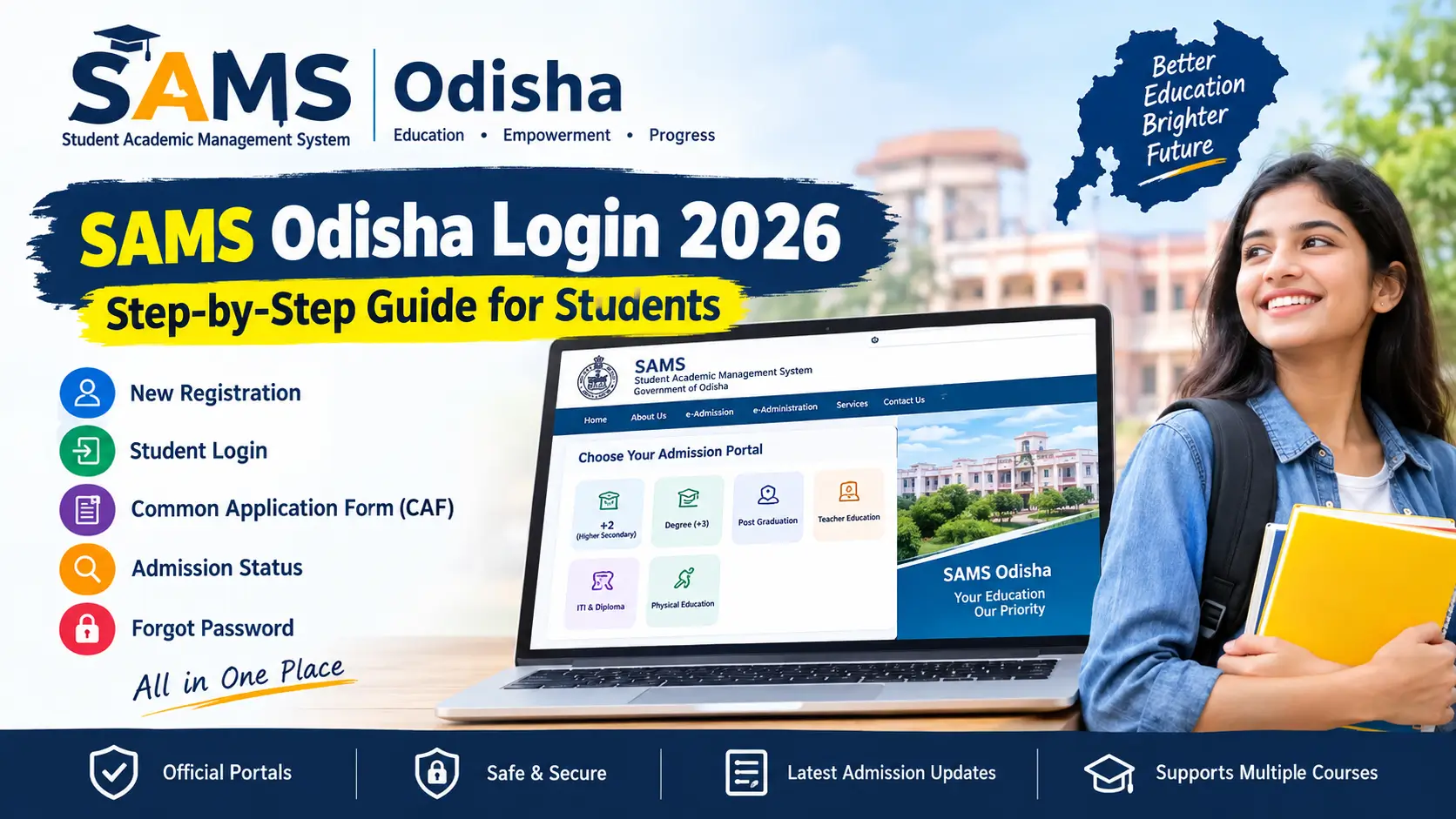
SAMS Odisha Login & Registration 2026
Looking for the SAMS Odisha student login page? The Student Academic Management System (SAMS) provides online admission services for several courses in Odisha, including Higher Secondary (+2), Degree (+3), Post Graduation, ITI, Diploma and Teacher Education.
Students can use the relevant SAMS portal to register an account, complete the Common Application Form (CAF), check admission updates and download an intimation letter when it becomes available.
This guide explains how to access the correct student login page, create a new account, recover a forgotten password and complete the admission process. It also covers important portal differences, documents and common login problems.
Important: Admission dates and application rules depend on the course and admission round. Always check the latest notice on the relevant official SAMS portal before submitting a form or paying a fee.
SAMS Odisha Login 2026: Quick Information
| Particular | Details |
|---|---|
| Portal name | Student Academic Management System (SAMS) |
| State | Odisha |
| Main website | https://samsodisha.gov.in/ |
| Main services | Student registration, CAF, admission and intimation updates |
| Login details | Registered mobile number or portal-specific credentials |
| Application form | Common Application Form (CAF), where applicable |
| Helpline numbers | 155335 / 1800-345-6770 |
| Application mode | Online through the relevant official portal |
The login method and application requirements may differ between departments. Select your course before creating an account.
Which SAMS Odisha Login Portal Should You Use?
SAMS has separate portals for different courses. Opening the wrong portal may prevent you from finding your application or admission details.
| Course or admission | Official portal |
|---|---|
| Higher Secondary (+2) | hss.samsodisha.gov.in |
| Degree (+3) | degree.samsodisha.gov.in |
| Post Graduation (PG) | pg.samsodisha.gov.in |
| Teacher Education | te.samsodisha.gov.in |
| ITI and Diploma | skill.samsodisha.gov.in |
| Physical Education | dsy.samsodisha.gov.in |
You can start from the main SAMS Odisha website and select the appropriate course category.
Tip: Use the same mobile number and login credentials associated with your existing application. Do not create a second account simply because you cannot find your previous application.
What Is SAMS Odisha?
SAMS stands for Student Academic Management System. It is an online platform used by the Government of Odisha for admissions and related academic services.
Its e-Admission facility helps eligible applicants submit admission forms and select institutions according to the applicable rules. The e-Administration side supports services for participating institutions and students.
For courses using the Common Application Form, students can enter their information and choose eligible institutions or courses according to the current prospectus.
The application process, selection method, fees and admission schedule vary by course. Therefore, students should read the prospectus for their specific admission programme.
SAMS Odisha Admission Status 2026
As of 26 October 2026, the admission position differs between courses.
+2 Phase III Admission
The current draft schedule for Higher Secondary (+2) Phase III lists the following dates:
| Activity | Date listed in the draft |
|---|---|
| Online CAF application | 12 October to 1 November 2026 |
| CAF closing time | 1 November 2026, 11:45 PM |
| First selection merit list | 4 November 2026, 3:00 PM |
| Reporting and admission | 5–10 November 2026 |
| Waiting-list activities | 12–16 November 2026 |
Please verify this schedule against the latest official Higher Secondary notice before publication. Dates may be revised, and the schedule above should not be treated as independently confirmed until checked on the official +2 SAMS portal (hss.samsodisha.gov.in).
Students who are eligible for Phase III should read the current notice carefully to determine whether they can apply as a fresh applicant or must use an existing account.
+3 Degree Admission
The official Degree SAMS portal lists the Phase II CAF application period for the 2026–27 session as 10 September to 20 September 2026. Subsequent selection and admission activities were scheduled in September and October.
Check the official Degree SAMS portal (degree.samsodisha.gov.in) for any additional notices, vacancy-related admission opportunities or new announcements.
PG and Other Courses
Postgraduate, ITI, Diploma, Teacher Education and Physical Education admissions follow their respective schedules.
Do not assume that a date announced for +2 or +3 also applies to your course. Open the relevant portal and check its latest notices before proceeding.
Documents and Details Required Before Registration
Prepare the following information before creating your SAMS student account or filling out a CAF.
- An active mobile number for admission-related communication.
- An accessible email address, where required by the relevant portal.
- Your name and date of birth as recorded on the required certificates.
- Academic details, including your examination roll number and marks.
- Aadhaar and APAAR information, where required by the course.
- Scanned certificates and supporting documents required for admission.
- Online payment facilities, if a CAF fee applies.
The exact requirements vary. For example, official SAMS registration pages may request the student’s name, date of birth, mobile number and email address. Check the fields displayed on your own course portal rather than relying on instructions for another programme.
How to Register on SAMS Odisha as a New Student
Follow these steps to create a new account. Button labels may differ slightly between portals.
- Visit the official SAMS Odisha website (samsodisha.gov.in).
- Select the course or department for which you want to apply.
- Open the relevant student login page.
- Select New User, Sign Up or the new student registration option.
- Enter the details requested on the registration form.
- Check that your name and other personal information match your relevant certificates.
- Verify your mobile number and email address using the OTP or verification method displayed on the portal.
- Create and confirm a password that meets the portal’s requirements.
- Submit the registration form and wait for the confirmation message.
- Return to the student login page and sign in with your registered credentials.
Keep your mobile number and password safe. You may need them again to complete the CAF, check selection results or access your application.
Important: A mobile number and email address may not be permitted for multiple registrations. If you have already registered, use the existing account instead of creating another one.
SAMS Odisha Student Login: Step-by-Step Process
If you already have an account, follow these instructions.
- Open the official portal for your course.
- Select Student Login or Existing Student Login.
- Enter the registered mobile number or other login ID requested by the portal.
- Enter your password.
- Complete the CAPTCHA, if displayed.
- Click Login or the corresponding sign-in button.
- Open your dashboard to access the services currently available for your course.
Depending on the admission stage, your dashboard may provide access to the CAF, application details, selection status, intimation letter or admission-related instructions.
If the page does not recognise your credentials, first confirm that you are using the correct course portal.
How to Fill the SAMS Odisha Common Application Form (CAF)
After logging in, look for the Application Form or CAF option if applications are open for your course.
Step 1: Enter personal information
Fill in your name, date of birth and other requested details carefully. Follow the instructions on the portal if your information needs to match a particular certificate.
Step 2: Add academic details
Enter your qualifying examination details, including marks, roll number and board information, as required.
Some programmes may have additional requirements for Aadhaar, APAAR or document verification.
Step 3: Select institutions and courses
Choose your preferred institutions and courses according to the choices allowed by your admission programme.
Review the order of preference before submission. Your selection options and allotment rules depend on the applicable prospectus.
Step 4: Upload or verify documents
Provide the documents requested by the portal. If information can be retrieved through an approved digital service, follow the official instructions displayed during the application.
Step 5: Review and submit the CAF
Check all information before submitting the form. Correct any mistakes within the permitted editing period.
Step 6: Pay the applicable application fee
If your programme requires a CAF fee, pay it through the payment method authorised by the portal.
Fees and exemptions differ between programmes and applicant categories. Do not rely on a fee amount mentioned for another course.
Step 7: Save the submitted application
Download or print the completed CAF and save the application details for future reference.
Submitting the CAF does not guarantee admission. Selection depends on the applicable eligibility rules, merit, available seats and admission procedure.
How to Check SAMS Odisha Admission Status
Students can check their admission progress through the relevant portal.
- Visit the official SAMS website for your course.
- Open the student login page.
- Sign in using your registered credentials.
- Find the application status, selection, merit list or admission section.
- Review the information available for your application.
- If selected, follow the instructions and deadlines stated in the official intimation or admission notice.
The available status information may differ by course and admission round.
If no result appears, check whether the relevant merit list has been published. You can also consult the portal’s notice section for updates.
How to Download the SAMS Odisha Intimation Letter
An intimation letter provides important information about an admission selection and the next steps a selected applicant must complete.
To access it:
- Open your course-specific SAMS portal.
- Log in to your student account.
- Look for the intimation letter or admission-related download option.
- Open the letter and check the institution, reporting instructions and deadline.
- Download and print it if required by the institution.
Some programmes may also send admission updates through SMS, email or WhatsApp when the relevant contact information is available in the application.
Follow the instructions on your actual intimation letter. Do not assume that every course uses the same reporting procedure.
SAMS Odisha Forgot Password: How to Reset It
If you cannot remember your password, use the official password recovery option.
- Open the correct SAMS login page.
- Click Forgot Password?
- Enter the registered mobile number or other details requested by the portal.
- Complete the OTP or verification process shown on the screen.
- Set a new password and confirm it.
- Return to the login page and sign in again.
If you no longer have access to your registered mobile number, contact the official SAMS helpdesk for guidance.
Avoid creating a duplicate account to solve a password problem. A duplicate registration may complicate your application.
Documents Required at the Time of Admission
The documents required depend on the course, institution and applicant’s circumstances. Commonly requested documents may include:
- Qualifying examination marksheet and pass certificate.
- Transfer Certificate, where applicable.
- Migration Certificate, where applicable.
- Caste or category certificate, if claiming a relevant benefit.
- Disability certificate, where applicable.
- Other supporting certificates specified in the prospectus.
- Printed CAF and intimation letter, if required.
- Original documents for institutional verification.
This is a general checklist, not a complete official list for every programme.
Before visiting your allotted institution, check the admission notice and prospectus for the exact documents, copies and reporting requirements.
SAMS Odisha CAF Fee and Fee Exemptions
There is no single fee rule that should be applied to every SAMS course.
The application fee, payment process and exemptions depend on the relevant programme and official prospectus. Certain categories may qualify for exemptions on particular portals, but students should not assume that an exemption applies across all departments.
Before paying:
- Read the fee details shown on your application.
- Confirm whether you qualify for an exemption.
- Use only the authorised payment method.
- Save the payment receipt.
- If payment is deducted but the application still shows unpaid, check the status before attempting another payment.
For unresolved payment problems, contact the official helpdesk with the relevant application details.
Common SAMS Odisha Login Problems and Solutions
1. SAMS student login is not working
Make sure you are using the portal for your course. Check the registered mobile number, password and CAPTCHA. If the credentials are still rejected, use the official password recovery option.
2. OTP is not received
Confirm that the registered mobile number is correct and active. Wait for the interval specified by the portal before requesting another OTP.
If the problem continues, follow the portal’s support instructions.
3. Forgot the registered mobile number
Do not create another account immediately. Contact the SAMS helpdesk and ask how to recover access to your existing application.
4. Application form is not visible
The CAF option may be unavailable because the application window is closed or the selected course has a different admission schedule.
Check the relevant portal’s latest notices.
5. Payment is successful, but the CAF shows unpaid
Save the payment reference and receipt. Recheck your application after allowing time for the payment status to update. Contact support if the issue remains unresolved.
Avoid making a second payment until you have checked the status and received appropriate guidance.
6. No seat is allotted
Selection depends on the applicable eligibility conditions, merit, preferences and seat availability. Read the official notice to determine whether a waiting list, additional round or vacancy-related opportunity is available.
7. You missed the application deadline
Check the official portal for an extension or a new admission round. Do not assume the deadline will be extended.
SAMS Odisha Helpline Number
For admission-related assistance, the SAMS portal lists the following toll-free helpline numbers:
- 155335
- 1800-345-6770
When contacting support, keep your registered mobile number, application details and payment reference ready, where relevant.
Use the official portal to confirm the latest contact information and any available support instructions.
How to Identify the Official SAMS Odisha Website
Students should be careful when entering personal information or paying application fees online.
- Start from samsodisha.gov.in.
- Open your course portal through the official website.
- Check that you are on the correct government admission portal before entering your details.
- Never share an OTP or password with an unauthorised person.
- Do not pay an agent who promises guaranteed admission or special treatment.
- Keep copies of your application and payment receipts.
This guide is independently published and is not an official Government of Odisha website. Students should submit applications and verify admission notices through the official portals.
When Will the Next SAMS Odisha +3 CAF Open?
The next application date should not be treated as confirmed until the Higher Education Department or SAMS publishes an official notice.
For the 2026–27 session, the Degree SAMS portal lists the Phase II CAF period as 10–20 September 2026. Future admission schedules may change from year to year.
Students planning to apply in the next academic session should monitor:
- samsodisha.gov.in
- (degree.samsodisha.gov.in)
- (dhe.odisha.gov.in)
Check the official announcement for eligibility, registration dates, required documents and the application process before applying.
Scholarships and Education Schemes for Odisha Students
Admission is only one part of planning for higher education. Eligible students may also want to explore scholarship opportunities and education-related programmes.
You can read these related guides:
- Odisha Post Matric Scholarship 2026–27
- Odisha Gyanodaya Scheme
- Pathani Samanta Scholarship
- Banishree Scholarship 2026–27
- PM-SETU Scheme
- Odisha Employment Exchange Online Registration 2026
Eligibility and application deadlines differ by scheme. Check the relevant scheme guidelines before applying.
Explore the Education and Scholarships section for more student-focused guides.
Frequently Asked Questions About SAMS Odisha Login 2026
1. What is the official website for SAMS Odisha login?
The main website is samsodisha.gov.in. Select your course to open the appropriate admission portal.
2. How can I register on SAMS Odisha?
Open the official portal for your course, select the new student registration option, enter the requested information, verify your details and create a password.
3. Can I log in to SAMS Odisha using my mobile number?
Many student portals use the registered mobile number and password. Follow the login method displayed on your particular course portal.
4. How can I reset my SAMS Odisha password?
Click the Forgot Password option on the official login page and complete the verification process. If you cannot access your registered number, contact the helpdesk.
5. What is the last date for +2 Phase III admission in 2026?
The schedule listed in this guide gives 1 November 2026 at 11:45 PM as the CAF deadline. Confirm the date against the latest official Higher Secondary notice before submitting your application.
6. Can I use one SAMS account for every course?
Do not assume that one account works for every course. Registration and login arrangements depend on the relevant department and portal. Follow the instructions for the programme you want to join.
7. How do I check my SAMS Odisha admission status?
Log in to the relevant portal and open the application status, selection or admission section. Check the notice board if the latest merit list has not yet been published.
8. Where can I download my SAMS intimation letter?
If your programme provides an online intimation letter, check the download option in your student account and follow the reporting instructions stated in the letter.
9. What are the SAMS Odisha helpline numbers?
The portal lists 155335 and 1800-345-6770 for admission-related assistance.
10. Does completing the CAF guarantee admission?
No. Admission depends on the programme’s eligibility criteria, selection rules, merit and seat availability.
Official SAMS Odisha Links
Use these official websites to check registration, admission schedules and application updates.
- SAMS Odisha Main Website (samsodisha.gov.in)
- Higher Secondary (+2) (hss.samsodisha.gov.in)
- Degree (+3) (degree.samsodisha.gov.in)
- Post Graduation (pg.samsodisha.gov.in)
- Teacher Education (te.samsodisha.gov.in)
- ITI and Diploma (skill.samsodisha.gov.in)
- Physical Education (dsy.samsodisha.gov.in)
- Official ITI FAQ (hs.samsodisha.gov.in/website/ITI/itiFAQ.asp)
- Higher Education Department, Odisha (dhe.odisha.gov.in)
Final Words
SAMS Odisha Login 2026 helps students access the online admission services available for their selected course. Before registering, confirm that you are using the correct portal and have the necessary documents ready.
After submitting your CAF, save the application details and check official notices regularly. Admission dates, fees and selection procedures may change, so always follow the latest instructions issued by the relevant department.
Disclaimer: This article is for informational purposes only. It is not an official government publication. Confirm all dates, eligibility conditions, fees and admission instructions on the relevant SAMS Odisha portal before taking action.