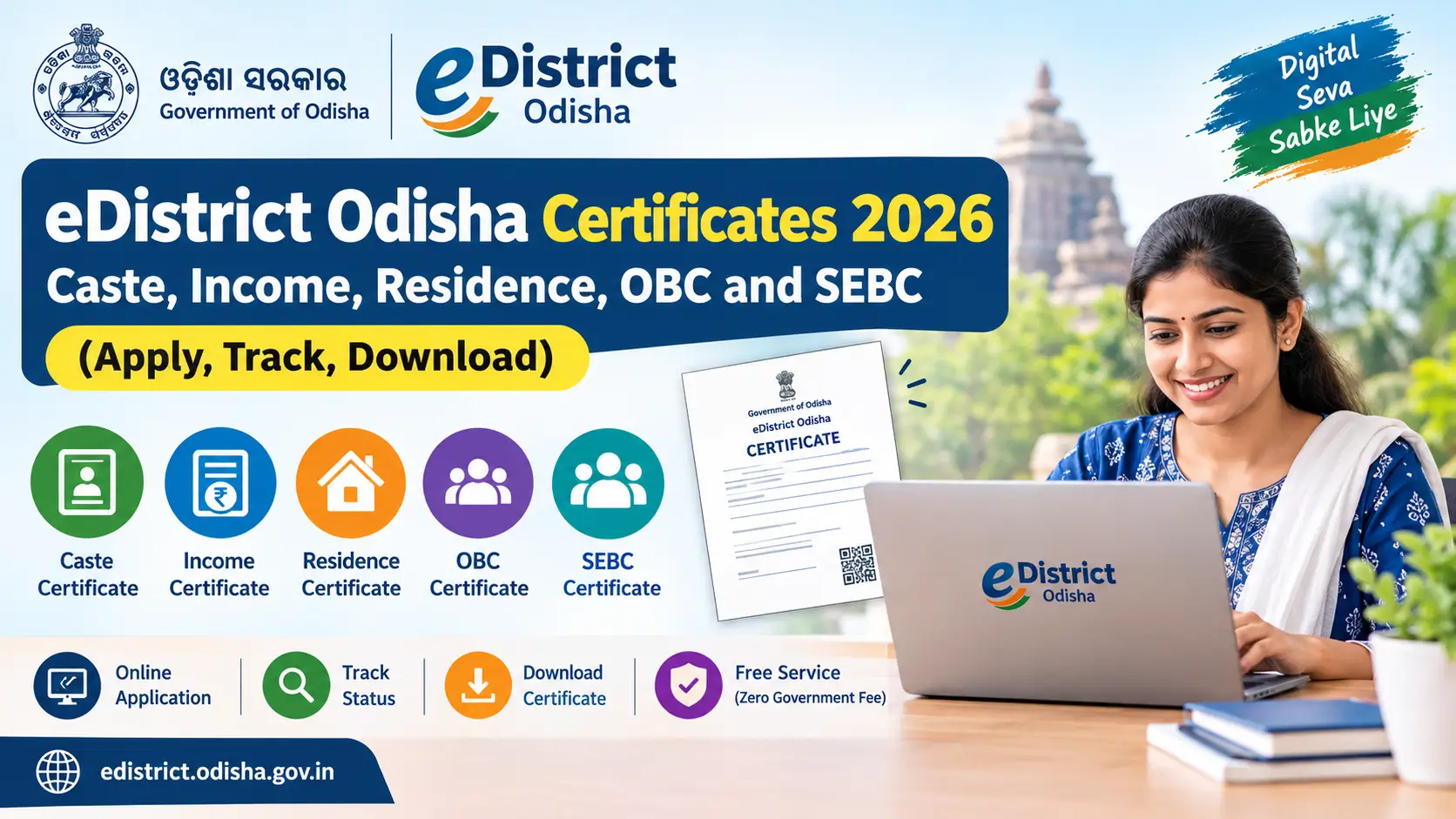
eDistrict Odisha Certificates 2026: Caste, Income, Residence, OBC and SEBC (Apply, Track, Download)
Read in another language:
Last updated: 6 November 2026. Reviewed against the official eDistrict Odisha portal, Revenue and Disaster Management Department resources, and the Odisha Right to Public Services portal.
If you need a caste, income, residence, OBC or SEBC certificate in Odisha, you can apply online through the official eDistrict Odisha portal or get help at a Common Service Centre (CSC/Mo Seva Kendra). The portal lets you submit an application, track its progress and access an issued e-certificate. The government service charge for the certificate services listed below is shown as nil on the official portal; a service centre may charge for assistance, printing or other permitted services.
This guide explains which certificate to choose, the documents commonly listed by the portal, how to apply, how to check status, how to download and verify a certificate, and what to do if an application is delayed or rejected.
Official portal: edistrict.odisha.gov.in
This is an independent information guide, not a Government of Odisha website. Always follow the live instructions shown for your selected service.
Fresh update (6 November 2026)
Issued e-certificates from the eDistrict Odisha portal can also be stored and retrieved through DigiLocker. The Odisha Computer Application Centre notes that the eDistrict application is integrated with DigiLocker for e-certificate storage and retrieval, along with eTaal for viewing transactions and the Rapid Assessment System for citizen feedback.
You can also track an application through the separate mobile tracking app at edistrictapp.odisha.gov.in, instead of opening the main portal every time. Keep your application reference number ready, the same number used for the portal’s Track Application Status option.
Quick answer: eDistrict Odisha certificates, documents and time limits
The official eDistrict portal displays a service-specific time limit and required-document list for each certificate. The table below summarises the commonly listed timelines. These are service targets, not a guarantee that every application will be approved by that date. Government holidays are excluded where the service rules specify working days, and verification or objections may affect processing.
| Certificate | Time limit commonly shown on eDistrict | Examples of documents listed by the portal |
|---|---|---|
| Residence / Resident Certificate | 10 working days | Electricity or water bill, RoR copy, Aadhaar or EPIC, ration card, bank passbook first page, NREGA job card or other relevant address proof |
| Income Certificate | 10 working days | RoR copy, salary certificate, income-tax return, income declaration or other income proof; identity proof may also be requested |
| Income and Asset Certificate (EWS) | 10 working days on the eDistrict service page; check the live listing before applying | RoR, Aadhaar or EPIC, salary certificate, latest IT return and agriculture-income proof, where applicable |
| Scheduled Caste (SC) Certificate | 15 working days | Settlement/consolidation RoR, self-declaration, voter ID, land passbook, Aadhaar, PAN or other supporting evidence |
| Scheduled Tribe (ST) Certificate | 15 working days | Documents relevant to the claim, such as RoR, self-declaration, identity proof and other available supporting evidence |
| OBC Certificate | 15 working days | Identity proof, self-declaration, RoR and land passbook, as requested by the form |
| SEBC Certificate | 15 working days | Identity proof, self-declaration, RoR and land passbook, as requested by the form |
| Legal Heir Certificate | 30 working days | Death certificate and identity proof; additional documents may apply |
Important: The official portal and other government service pages may display different time periods for some services, and online pages can be updated. Before submitting, open the relevant service on eDistrict Odisha and confirm the current time limit and document checklist. Upload only the documents requested for your particular case; the examples above are not a promise that every item is mandatory or sufficient.
What is eDistrict Odisha?
eDistrict Odisha is an online platform for citizen services handled by district and state departments. It includes revenue certificates such as Resident, Income, Scheduled Caste (SC), Scheduled Tribe (ST), OBC, SEBC, Income and Asset (EWS) and Legal Heir certificates. Citizens can apply online, use a service centre for assistance, track an application and access an issued certificate.
Some users search for “edistrict orissa” because Orissa was the state’s former English name. For current applications, start from the official eDistrict Odisha portal rather than relying on an unfamiliar third-party website. The portal is associated with the Revenue and Disaster Management Department for the certificate services covered in this guide.
Residence certificate Odisha: eligibility and proof of address
The official Resident Certificate service describes a general requirement of continuous residence for at least one year within the jurisdiction of the concerned Tahasil. The portal notes that exceptions may apply in circumstances such as transferred government employees and women married within the previous year. Check the live service description for the exact conditions relevant to your case.
Documents that may support a residence application include an electricity bill, water bill, ration card, RoR copy, Aadhaar or EPIC, holding-tax receipt, lease agreement, employer certificate, bank passbook first page, voter-list extract or NREGA job card. The service page also allows other relevant documents where appropriate.
Before submitting, make sure your address and the Tahasil/RI circle selected in the application match the place for which you are seeking the certificate. If you are unsure which proof is acceptable, check the service page or ask the relevant Tahasil office/authorised service centre.
Income certificate Odisha: whose income is counted?
The eDistrict service description says that income from all sources of all family members living in a common mess is considered for the financial year before the application year. The listed sources include salary or wages, government or private employment, movable property, business or profession, and agriculture.
Depending on your circumstances, the portal may ask for documents such as a RoR copy, salary certificate, income-tax returns, income declaration or other proof of income. If salary and agricultural income are declared, the service page specifically indicates that the corresponding salary and agriculture-income evidence should be attached.
Do not report only your own income if the service rules require income from all family members living in a common mess. Review the form carefully and provide complete, accurate information.
If you are applying for a government scheme or admission that has an income ceiling, read that scheme’s own eligibility rules as well. An income certificate is evidence of income; it does not by itself confirm eligibility for every scheme. You can also read our Subhadra Yojana eligibility section and BBSA Odisha guide.
Caste certificate Odisha: SC and ST applications
For Scheduled Caste (SC) and Scheduled Tribe (ST) claims, the official service description says that verification considers whether the applicant and their parents belong to the claimed community, whether the community is included in the relevant Presidential Order for Odisha, and whether the applicant belongs to the state and the area for which the community is scheduled. The portal states that an SC applicant should profess Hinduism or Sikhism, while an ST applicant may profess any religion.
The state’s caste-certificate rules notified in January 2024 provide further procedures. They include a 15-day decision period under the rules, excluding time spent dealing with objections, and provisions for field enquiry where supporting documents are unavailable. The rules also describe the competent authorities and an appeal route for rejected claims. Read the official caste certificate rules (PDF) for the full legal wording and exceptions.
Do not interpret “documents unavailable” as automatic approval. If you cannot produce an old record, explain the situation accurately and follow the authority’s field-verification process. The authority still has to establish whether the claim meets the applicable rules.
For Class 10 students, the Revenue Department has published guidance concerning caste certificates through schools. Parents or students should check the latest notice on the Revenue Department certificates page and ask the school whether that route applies before submitting a separate application.
OBC certificate Odisha vs SEBC certificate: what is the difference?
OBC and SEBC are not interchangeable labels for every application. Select the certificate that matches the list and purpose stated by the institution, recruitment notice or scheme.
| Point | SEBC Certificate | OBC Certificate |
|---|---|---|
| List used | Odisha’s state list of Socially and Educationally Backward Classes | Central OBC list applicable to Odisha |
| Typical purpose | State-level reservation or benefits where the notice asks for SEBC | Central Government reservation or benefits where the notice asks for OBC |
| Form | The portal may identify the relevant application as Form C | The portal may identify the relevant application as Form D |
| Processing time | Commonly shown as 15 working days; verify the live service | Commonly shown as 15 working days; verify the live service |
Check the relevant official list and the wording of the application notice before applying. A community appearing on one list does not automatically mean it appears on the other.
The OBC/SEBC process can include a creamy-layer assessment. The application may ask about parents’ government posts or service category, armed-forces rank, profession, landholding and income. The rules and government instructions in force on the application date determine how the test is applied. The ₹8 lakh income figure is often cited in relation to the central OBC creamy-layer income test, but it should not be treated as the only test or as a complete statement of eligibility: other criteria and current instructions may apply. Check the current official instructions and the exact certificate required.
The application form may also specify image and signature upload requirements. Follow the size and format shown on the live form rather than relying on an old screenshot or a third-party article.
Income and Asset Certificate (EWS)
The eDistrict service description states that the Income and Asset Certificate for admission to specified educational institutions under the Government of Odisha is for EWS candidates who do not belong to SC, ST or SEBC (state-list) categories and whose family’s gross annual income is below ₹8 lakh, subject to the other criteria in the applicable order.
Do not assume one EWS certificate automatically meets every purpose. Odisha has separate instructions for certificates used for central government recruitment or central institutions. Read the admission prospectus, recruitment notice or department order to confirm which certificate and criteria are required.
The eDistrict service page lists documents such as RoR, Aadhaar or EPIC, salary certificate, the previous financial year’s income-tax return and agriculture-income proof where applicable. The live service checklist takes priority.
How to register and apply on edistrict.odisha.gov.in
The official eDistrict FAQ explains that citizens can register once and then apply for services online. The exact labels may change when the portal is updated, but the usual process is:
- Open the official edistrict.odisha.gov.in
- Choose the citizen registration option, often shown under Services or Register.
- Enter the requested details, including a valid mobile number and email address, and complete the verification steps displayed by the portal.
- Sign in using the credentials created during registration.
- Select the certificate you need: Resident, Income, SC, ST, OBC, SEBC, Income and Asset (EWS) or another available service.
- Read the service conditions and document checklist before filling out the application.
- Enter your details carefully, upload clear copies of the requested documents and review the form for errors.
- Submit the application and save the acknowledgement and application reference number. Keep any confirmation SMS or email until the certificate is delivered.
If you cannot apply online yourself, the official portal says you may seek help through a Common Service Centre. Our Seva Setu Kendra guide may also help you understand local assistance options.
Safety tip: Use the official government portal and never share an OTP or account password with an unknown person who promises guaranteed approval.
How to check eDistrict Odisha application status
You can check your application status in either of these ways, depending on the options currently displayed:
- Without signing in: Open the official portal and choose Check Your Application Status or Track Status. Enter the application reference number and any other requested details.
- After signing in: Open View Status of Application or the equivalent menu, then select Track Application Status.
Keep your application reference number safe. The portal may also send an SMS when an application is issued or rejected. If the status has not changed, check the portal again or contact the official helpline listed below.
e District Odisha certificate download and print
After the application is approved and the certificate is delivered, the official portal’s published instructions describe this process:
- Sign in to your eDistrict Odisha account.
- Open View Status of Application and then Track Application Status.
- Find your application reference number and select Delivered under the current status.
- In the Application Form Details window, scroll to Output Certificate.
- Open the e-certificate and print it or save it as a PDF, if the browser provides that option.
There may not be a separate public download page for every certificate. Use your application record and follow the options displayed by the official portal.
How to verify an Odisha e-certificate
If a college, employer or government office asks you to verify an issued certificate, use the Verify your Certificate option on the official eDistrict website, if available for that service.
The portal’s published instructions ask for the application reference number and the token printed on the certificate. Enter both carefully and submit the verification request. A certificate is returned only when the entered details match the portal’s record.
Do not publish a certificate image online if it exposes personal details, a reference number or a verification token.
How long does an eDistrict Odisha certificate really take?
The time limit shown on a service page is the official service timeline; it is different from the portal’s average approval time. The eDistrict portal also displays counters such as applications received, approved, rejected, pending and average processing time for some services. Those figures change and may differ between visits.
For that reason, this guide does not treat a previously observed average or rejection percentage as a permanent 2026 statistic. To see the latest figures, open the relevant certificate service on the official eDistrict portal and check its current service details. If you quote the portal’s average time in a published update, record the date you checked it and recalculate any percentage from the current counters.
In practical terms, apply well before a school, college, recruitment or scheme deadline—especially when the certificate requires field verification. A stated timeline is not a reason to wait until the final week.
Why eDistrict Odisha applications may be rejected or delayed
The portal and relevant rules make clear that applications are assessed against service-specific requirements. Before submitting, check these common trouble spots:
- Wrong certificate type: Confirm whether you need an Odisha SEBC certificate or a central-list OBC certificate.
- Incomplete income details: Include the family income information required by the service, not just the applicant’s own income where the rules require a wider household assessment.
- Missing or unclear documents: Upload readable files and follow the live checklist. Make sure names and other details are consistent where possible.
- Incorrect jurisdiction: Check the district, Tahasil and RI circle so the application reaches the appropriate office.
- Incorrect community or list selection: Confirm that the community is included in the relevant state or central list for the certificate being requested.
- Photo/signature upload issue: Follow the current form’s file-size, file-type and image instructions.
- Verification or objection pending: Some applications need a field enquiry or a response to an objection. Check the status and respond to any request from the authority.
If the application is rejected, read the reason in the status or order. The official FAQ says a rejected application cannot simply be continued as the same pending case; applicants may need to submit a fresh application after addressing the issue, or use the applicable appeal route. For a legal appeal, follow the instructions and deadline in the relevant order and rules.
Delayed or rejected? Your options under ORTPS
The Odisha Right to Public Services Act, 2012 provides an appeal process for applicants whose service is rejected or not delivered within the specified time limit. The official ORTPS FAQ says an appeal can generally be filed within 30 days from receipt of the rejection order or expiry of the service time limit. It also says the Appellate Authority may admit a late appeal within the permitted extended period if sufficient cause is established.
The Act provides for further review by the Revisional Authority. The official materials describe possible penalties for a designated officer where the statutory conditions are met; penalties are not a fee payable by the applicant.
Before filing, check the current procedure, designated Appellate Authority and applicable time limit on the Odisha Right to Public Services portal (ortpsa.odisha.gov.in). Keep copies of your acknowledgement, submitted documents, status history and any rejection or delay-related communication. For a caste-certificate rejection, also read the separate caste-certificate rules and their appeal provisions.
Do you always need a certificate when you first apply for a job or admission?
Not necessarily. A Revenue Department order issued in January 2020 addressed cases in which recruiting agencies or educational institutions could accept a self-declaration at the application stage rather than insisting on a caste or resident certificate immediately. However, the requirements can differ by recruitment, admission, scheme and stage of scrutiny.
Read the latest notice for the specific application you are making. Do not assume that a self-declaration will be accepted unless the relevant notice or authority permits it.
eDistrict Odisha fees, helplines and fake websites
The official portal lists no government service charge for the certificate services covered in this guide. The Revenue and Disaster Management Department also issued an order on 13 November 2019 abolishing application and user fees for several listed certificates. A CSC or other service provider may charge for assistance or printing where permitted; ask for a receipt and distinguish that from a government certificate fee.
The official eDistrict portal lists these contacts for certificate-related queries and technical support:
- Toll-free helpline: 1800-121-8242
- Sanjog helpline: 155335
- Certificate queries: ecertificate.rdm@odisha.gov.in
- Technical support (OCAC): edistrict@odisha.gov.in
- Technical support (NIC): serviceplus-od@nic.in
If a contact detail does not work, confirm it on the live official portal before relying on it.
Be cautious of unofficial websites that request money to release a certificate, promise guaranteed approval or ask you to share an OTP. Use this article for guidance, but submit applications and verify certificates through the official government portal.
Frequently asked questions
How do I apply for a caste certificate in Odisha online?
Open edistrict.odisha.gov.in, register as a citizen, sign in, choose the correct SC, ST, OBC or SEBC service, complete the form and upload the requested documents. Save your application reference number so you can track the request.
Is there any fee for the caste, income or residence certificate in Odisha?
The official eDistrict portal lists no government service charge for these certificate services. A service centre may charge for assistance or printing where permitted, which is different from a government certificate fee.
How many days does an income certificate take in Odisha?
The eDistrict Income Certificate service page commonly shows a 10-working-day timeline, excluding government holidays where applicable. Check the live service page before applying because service details can change and processing may depend on verification.
What is the difference between an OBC and an SEBC certificate in Odisha?
SEBC refers to Odisha’s state list of Socially and Educationally Backward Classes, while OBC applications use the central list applicable to Odisha. Use the certificate specified by the recruitment notice, institution or scheme.
How can I complete e District Odisha certificate download?
Sign in, open the application status section, find the application marked Delivered, open Application Form Details and select Output Certificate. Save or print the certificate using your browser’s options.
Can I apply for a caste certificate if I do not have old land records?
The Odisha caste-certificate rules include provisions for cases where supporting documents are unavailable and provide for field enquiry. Missing records do not guarantee approval; explain your situation and follow the official verification process.
How long is a caste certificate valid?
Do not rely on a general claim that every Odisha caste certificate expires after one year or is valid forever. Check the current certificate rules and the requirements of the institution or recruitment for which you need it. An employer or institution may ask for a recently issued certificate or other current evidence.
My certificate is delayed. What can I do?
Check the application status and contact the official eDistrict helpline or certificate email. If the statutory service time limit has expired, review the appeal process on the Odisha Right to Public Services portal (ortpsa.odisha.gov.in) and note the applicable deadline.
Related reading on this site: Subhadra Yojana application status, Subhadra face eKYC, Education and scholarships and Odisha Sarkari Naukri.
Subhadra yojana
BBSA Odisha 2026: New ₹5 Lakh Income Limit, Eligibility & Benefits
Subhadra-yojanain.com/category/blog
Disclaimer: This is an independent website and is not affiliated with the Government of Odisha. Official procedures, service timelines and document requirements can change. Confirm the latest details on the official portal before applying.