OBDRS Odisha 2026: Birth & Death Certificate Apply, Status and Download
Read in another language:
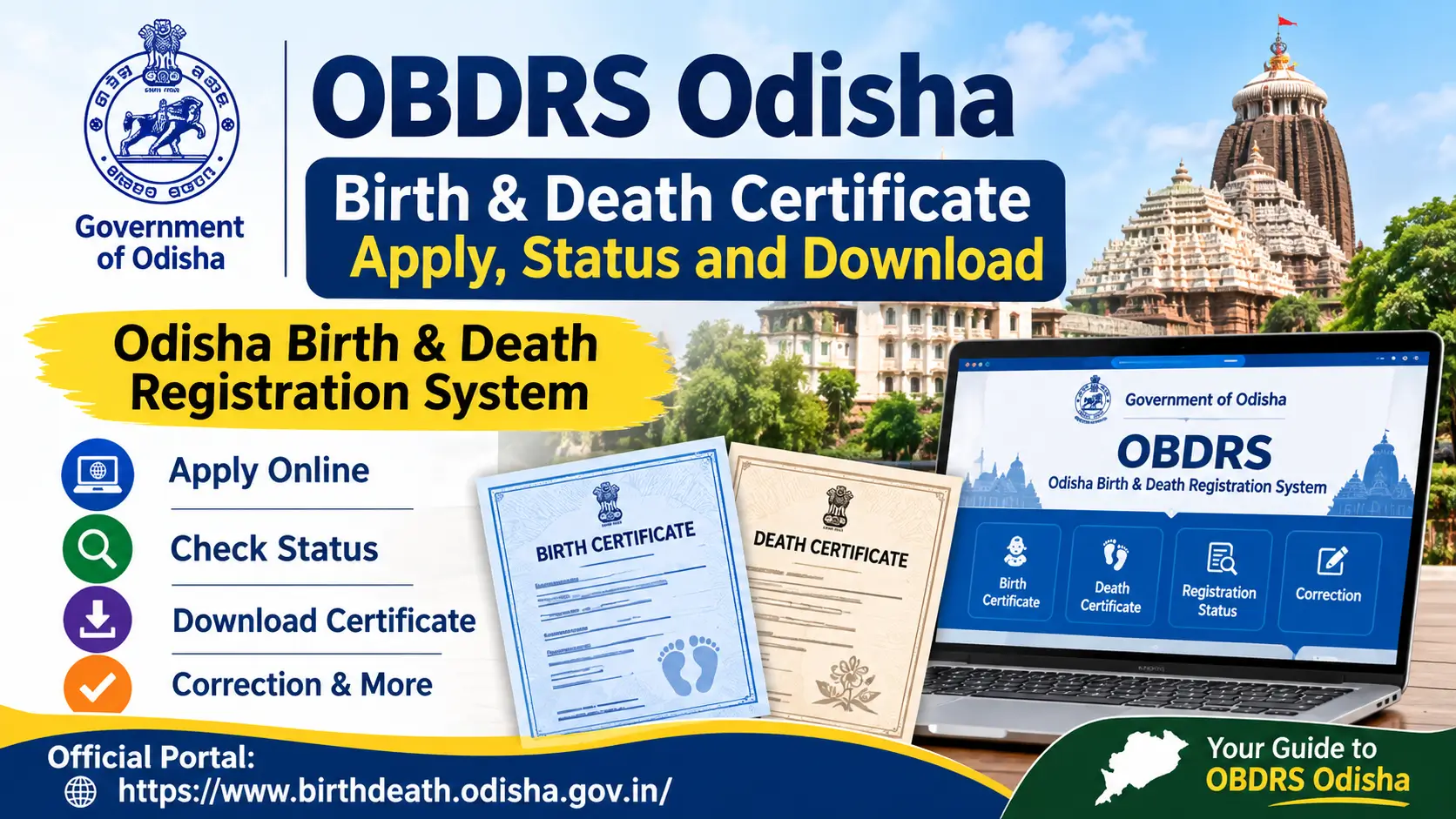
The Odisha Birth & Death Registration System (OBDRS) is the official online platform for birth and death registration services in Odisha. Citizens can use the portal to check registration details, apply for certificates, track applications, request corrections and access other services related to civil registration.
If you need an Odisha birth certificate for school admission, Aadhaar-related work, passport documentation or another official purpose, the first step is to check whether the birth has already been registered.
This guide explains how to use OBDRS, apply for a birth or death certificate, check application status, download a certificate and resolve common problems.
Official website: https://www.birthdeath.odisha.gov.in/
This is an independent information guide. It is not affiliated with the Government of Odisha.
OBDRS Odisha: Quick Overview
| Particular | Details |
|---|---|
| Full Form | Odisha Birth & Death Registration System |
| State | Odisha, India |
| Department | Health & Family Welfare Department, Government of Odisha |
| Official Portal | birthdeath.odisha.gov.in |
| Main Services | Birth and death registration, certificate application, status check, correction |
| Registration Deadline | Normally within 21 days of the event |
| Certificate Processing Time | Portal currently states 7 working days for certificate applications |
| Registration Authority | Concerned local Registrar |
| Citizen Services | Online and local registration office services |
The processing time can vary depending on the application, verification requirements and concerned registration unit.
What Is the Odisha Birth & Death Registration System?
OBDRS is Odisha’s digital platform for managing birth and death registration services across the state.
The official portal provides services for citizens in rural and urban registration areas. It also allows users to check registration records and apply for certificates where the relevant record is available.
The system is useful for people who need to:
- Register a birth or death.
- Check whether an event has been registered.
- Apply for a birth certificate.
- Apply for a death certificate.
- Check an application’s progress.
- Download an issued certificate.
- Request a correction in an existing record.
Important: Birth registration and birth certificate issuance are two different processes. A birth must first be registered. If the record already exists, the citizen can proceed with the certificate application.
Official OBDRS Odisha Portal
Use the official website for registration-related services:
OBDRS Portal: https://www.birthdeath.odisha.gov.in/
The portal provides separate services for birth and death records.
| Service | Purpose |
|---|---|
| Apply for Certificate | Apply for a certificate against an existing registered event |
| Registration Status | Check whether the event has been registered |
| Registration Correction | Request a correction in the existing record |
| Domiciliary Registration | Report a birth or death that occurred at home |
| Application Status/Download | Track an application and access the certificate when issued |
The available options may differ depending on the type of event and registration unit.
How to Apply for an Odisha Birth Certificate Online
If the birth has already been registered, you can use the official OBDRS portal to apply for the certificate.
Step 1: Open the Official Website
Visit https://www.birthdeath.odisha.gov.in/.
Open the Citizen Services section and select the birth certificate application service.
Step 2: Select the Registration Location
Choose the district and the relevant registration unit.
The registration unit must correspond to the place where the birth was originally registered. Selecting your current residential location instead of the original registration unit may result in a failed search.
Step 3: Enter Birth Details
Enter the date of birth in the format requested by the portal.
The current application screen provides different search methods, including:
- Registration number
- Registered mobile number
- Institutional request number
- Other details, such as the child’s and parents’ names
Choose the search option for which you have the correct information.
Step 4: Search for the Record
Submit the details and check whether the birth record appears.
Before continuing, verify the child’s name, date of birth, parents’ names and registration details.
Step 5: Apply for the Certificate
If the correct record is available, proceed with the certificate application.
Enter the required applicant details and provide supporting information or documents where requested by the portal.
Step 6: Submit the Application
Review the information before submitting.
If a fee is applicable, follow the payment instructions displayed on the official portal. Save the application or acknowledgement number for future reference.
The official OBDRS portal currently displays a processing message of 7 working days for certificate applications. This should not be treated as a guarantee for every case.
More related Odisha programs
Subhadra Yojana
eDistrict Odisha Certificates 2026: Caste, Income, Residence, OBC and SEBC (Apply, Track, Download)
IGR Odisha Property Registration 2026: Slot Booking, Fees, EC and Documents
Odisha e-Challan 2026: Check Status, Traffic Fine List and Pending Challan Settlement
Odisha Mo Seba Kendra List 2026: Find Your Nearest Centre & Download PDF
Seva Setu Kendra 2026: What It Is, Services Available, Documents and How to Use It
Ama Rasta WhatsApp Chatbot Odisha: How to Report Road Accidents
Bhulekh Odisha: Check Land Records, ROR and Plot Details Online
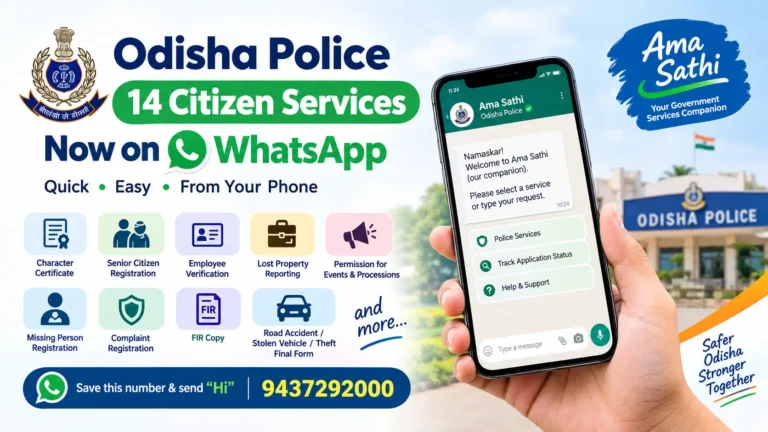
Odisha Police Brings 14 Citizen Services to WhatsApp: Full List, Number and How to Apply
Gopabandhu Sambadika Swasthya Bima Yojana 2026: Apply Online, Eligibility and Last Date
How to Check Odisha Birth Certificate Application Status
If you have already submitted a certificate application, you can check its status online.
- Visit the official OBDRS website.
- Open the Check Application Status/Download Certificate service.
- Select the birth certificate option.
- Choose the appropriate district and registration unit.
- Enter the date of birth and the requested application or registration details.
- Submit the information.
- Check the status displayed on the portal.
Keep your application number or registration number safe after submitting the request.
If the application is still under processing, check again later. If it remains pending beyond the stated processing period, contact the concerned registration unit or the OBDRS helpdesk.
How to Download an Odisha Birth Certificate
A birth certificate can be downloaded after the relevant application has been processed and the certificate is available.
Follow these steps:
- Open the OBDRS official website.
- Select Check Application Status/Download Certificate.
- Choose Birth Certificate.
- Select your district and registration unit.
- Enter the required date of birth and application or registration details.
- Search for the application.
- If the certificate is available, use the download option.
Save the PDF on your device and keep a backup copy.
Check the certificate carefully after downloading it. If you notice an error in the child’s name, date of birth or parents’ details, contact the concerned Registrar before using it for important documentation.
How to Register a Birth in Odisha
If the birth has not yet been registered, you must complete the registration process before applying for a certificate.
The Registration of Births and Deaths Act, 1969, provides the legal framework for birth and death registration in India.
Births should normally be reported within 21 days of occurrence.
Birth in a Hospital
For an institutional birth, the hospital or authorised institution generally reports the event to the concerned registration authority.
Parents should collect the hospital acknowledgement or birth-related records before leaving.
If the birth has already been reported, check the registration status through OBDRS.
Birth at Home
For a birth that occurs at home, the household can use the Domiciliary Registration facility available through OBDRS.
The official portal provides this service for reporting events that occurred outside an institution.
The concerned Registrar may require supporting documents or verification before completing registration.
Birth in a Public Place
If the birth occurs in a public place, the reporting responsibility depends on the circumstances and the applicable registration rules.
Contact the concerned local Registrar for guidance on the correct reporting procedure.
Late Birth Registration in Odisha
If a birth was not registered within the normal 21-day period, it may still be possible to register it under the delayed-registration provisions.
The process depends on how much time has passed since the birth.
| Period of Delay | General Procedure |
|---|---|
| Within 21 days | Normal registration process |
| After 21 days but within 30 days | Late reporting with the applicable fee |
| After 30 days but within one year | Requires the prescribed permission and supporting documents |
| After one year | Requires an order from the competent authority under the applicable law |
The exact authority, documents and fees must be confirmed with the concerned Registrar.
Do not rely on an old online article for the final late-registration fee or affidavit requirements. The applicable rules and state procedures should be checked before submitting an application.
Documents Required for Odisha Birth Certificate
The documents required depend on whether you are applying for a certificate against an existing record or registering a birth for the first time.
For an existing registration, the portal may require registration details and applicant information.
For a new or delayed registration, supporting documents may be required.
Commonly relevant documents include:
- Hospital birth record or discharge slip
- Birth-related acknowledgement from the institution
- Parents’ identity documents
- Address proof, where required
- Registration or institutional request number
- Supporting documents requested by the Registrar
- Additional documents for delayed registration, where applicable
This is a general preparation list, not a final mandatory checklist. Follow the document requirements shown on OBDRS or provided by the concerned Registrar.
How to Correct Odisha Birth Certificate Details
If the birth certificate contains an incorrect spelling or other information, you should contact the registration authority responsible for the original record.
OBDRS provides a Registration Correction facility.
The official portal’s correction information indicates that modifications to details such as the spelling of the father, mother or address may be requested through the correction service.
However, the portal states that child name correction is not allowed through that facility.
Steps to Request a Correction
- Visit the OBDRS official website.
- Select Registration Correction.
- Choose the district and registration unit.
- Enter the date of birth and the requested registration or application details.
- Follow the correction options available for the record.
- Submit the required supporting information.
For a correction involving the child’s name, date of birth or another significant detail, contact the concerned Registrar to confirm the appropriate legal procedure.
Do not create a duplicate registration to correct an existing record.
What to Do If the Birth Certificate Record Is Not Found
A “Record Not Found” message does not always mean the birth was never registered.
The search may fail because of incorrect details, an incorrect registration unit or an older record that is not available online.
Try the following steps.
1. Check the Registration Unit
Select the registration unit where the birth was originally recorded.
The current place of residence may be different from the registration location.
2. Verify the Date of Birth
Check the date format and ensure that the correct date has been entered.
3. Try Another Search Method
The OBDRS application screen supports different search options.
If the registration number is unavailable, try the registered mobile number, institutional request number or other details where the portal permits.
4. Check the Original Hospital Records
If the birth occurred in a hospital, contact the institution and ask whether the birth was reported and whether a registration or institutional request number is available.
5. Contact the Local Registrar
Older records may require a manual search or verification.
Contact the registration unit responsible for the original event and explain that the record is not appearing online.
6. Ask About a Non-Availability Certificate
If the birth was not registered or the record cannot be located, ask the concerned Registrar whether a Non-Availability Certificate is appropriate for your case.
The authority can explain the next steps for late registration.
Odisha Death Certificate: Apply, Status and Download
OBDRS also provides online services for death registration and death certificates.
A death certificate is an official document used for several purposes, including:
- Bank account and financial claim procedures
- Insurance claims
- Pension-related applications
- Legal heir and property-related matters
- Updating official records
How to Apply for an Odisha Death Certificate
If the death has already been registered:
- Visit the OBDRS official website.
- Select the death certificate application service.
- Choose the district and registration unit.
- Enter the date of death.
- Search using the registration number, registered mobile number, request number or another available option.
- Verify the record.
- Submit the certificate application with the required details.
How to Check Death Certificate Status
Open the Check Application Status/Download Certificate service and select the death certificate option.
Enter the required details, including the date of death and application or registration number.
If the certificate is available, follow the download option displayed on the portal.
Death Registration at Home
For a death that occurs at home, the household should report the event to the concerned authority according to the applicable registration rules.
OBDRS provides a Domiciliary Registration facility for reporting events that occur outside an institution.
The documents and verification process may depend on the circumstances of the death.
Odisha One Birth Certificate Service
Odisha One is another official citizen-service portal of the Government of Odisha.
Website: https://www.odishaone.gov.in/
The Odisha One citizen manual includes a Birth Certificate service. The application workflow may ask for details such as district, ULB, registration number and date of birth.
If you use Odisha One, follow the current instructions displayed on that portal.
For OBDRS registration status, correction and other birth or death registration services, the dedicated OBDRS portal is the primary reference.
OBDRS Odisha Helpdesk Contact Details
If you are unable to find a record or need clarification about an application, contact the official OBDRS helpdesk.
| Contact Information | Details |
|---|---|
| Office | Directorate of Health Intelligence & Vital Statistics |
| Address | Heads of Department Building, Bhubaneswar, Odisha – 751001 |
| Phone | +91 7064224290 |
| Phone | +91 8260016906 |
| Phone | +91 8984289770 |
| obdrs.helpdesk@odisha.gov.in | |
| Support Hours | 10:00 AM to 6:00 PM |
| Weekly/Holiday Exclusion | Sundays, State Government holidays and declared holidays |
These contact details are listed on the official OBDRS portal. Check the website for any updated contact information before calling.
Important Official Links
Use the following official resources for birth and death registration services.
| Service | Official Link |
|---|---|
| OBDRS Main Portal | https://www.birthdeath.odisha.gov.in/ |
| OBDRS Citizen Services | https://www.birthdeath.odisha.gov.in/citizen-services |
| Odisha One Portal | https://www.odishaone.gov.in/ |
| Odisha Health Department | https://health.odisha.gov.in/ |
| Registration of Births and Deaths Act | https://www.indiacode.nic.in/ |
Avoid entering personal information or making payments through unofficial websites that claim to issue government certificates.
Frequently Asked Questions
What is OBDRS in Odisha?
OBDRS stands for Odisha Birth & Death Registration System. It is the official Odisha platform for birth and death registration-related services, including certificate applications, registration status and corrections.
How can I apply for a birth certificate in Odisha online?
Visit the official OBDRS portal, select the birth certificate application service, choose the registration location and search for the registered birth record. If the record is available, submit the certificate application.
Can I download an Odisha birth certificate online?
Yes. If the birth is registered and the certificate is available, you can use the Check Application Status/Download Certificate service on OBDRS.
How can I check Odisha birth registration status?
Use the Registration Status service on the official OBDRS portal. Enter the requested registration or request details to check whether the event has been registered.
How many days does it take to get an Odisha birth certificate?
The OBDRS portal currently displays a processing message of 7 working days for certificate applications. Actual processing may vary depending on the application and verification requirements.
What is the official OBDRS website?
The official Odisha Birth & Death Registration System website is https://www.birthdeath.odisha.gov.in/.
Can I register a birth after 21 days in Odisha?
Yes, delayed registration may be possible under the applicable legal procedure. The required permission, documents and fees depend on the period of delay.
Can I correct my child’s name through OBDRS?
The official correction information states that child name correction is not allowed through the listed correction facility. Contact the concerned Registrar to confirm the appropriate procedure.
What should I do if my birth record is not found?
Check the registration unit, date of birth and available search details. If the record still does not appear, contact the original registration authority and ask whether the record requires a manual search.
Is Odisha One the same as OBDRS?
No. Odisha One is a unified citizen-service portal, while OBDRS is the dedicated Birth & Death Registration System. Odisha One also lists birth certificate services.
Conclusion
The Odisha Birth & Death Registration System makes it easier for citizens to access birth and death registration services online.
If your birth or death has already been registered, you can use OBDRS to search for the record, apply for a certificate, check application status and download the certificate when it is available.
For a new registration, delayed registration or correction, follow the procedure applicable to your case and confirm the requirements with the concerned Registrar.
Always use the official OBDRS website for personal information, applications and payments.
Disclaimer: This website is an independent information platform and is not affiliated with the Government of Odisha. Procedures, fees, documents and portal features may change. Readers should verify the latest details through official government sources before applying.