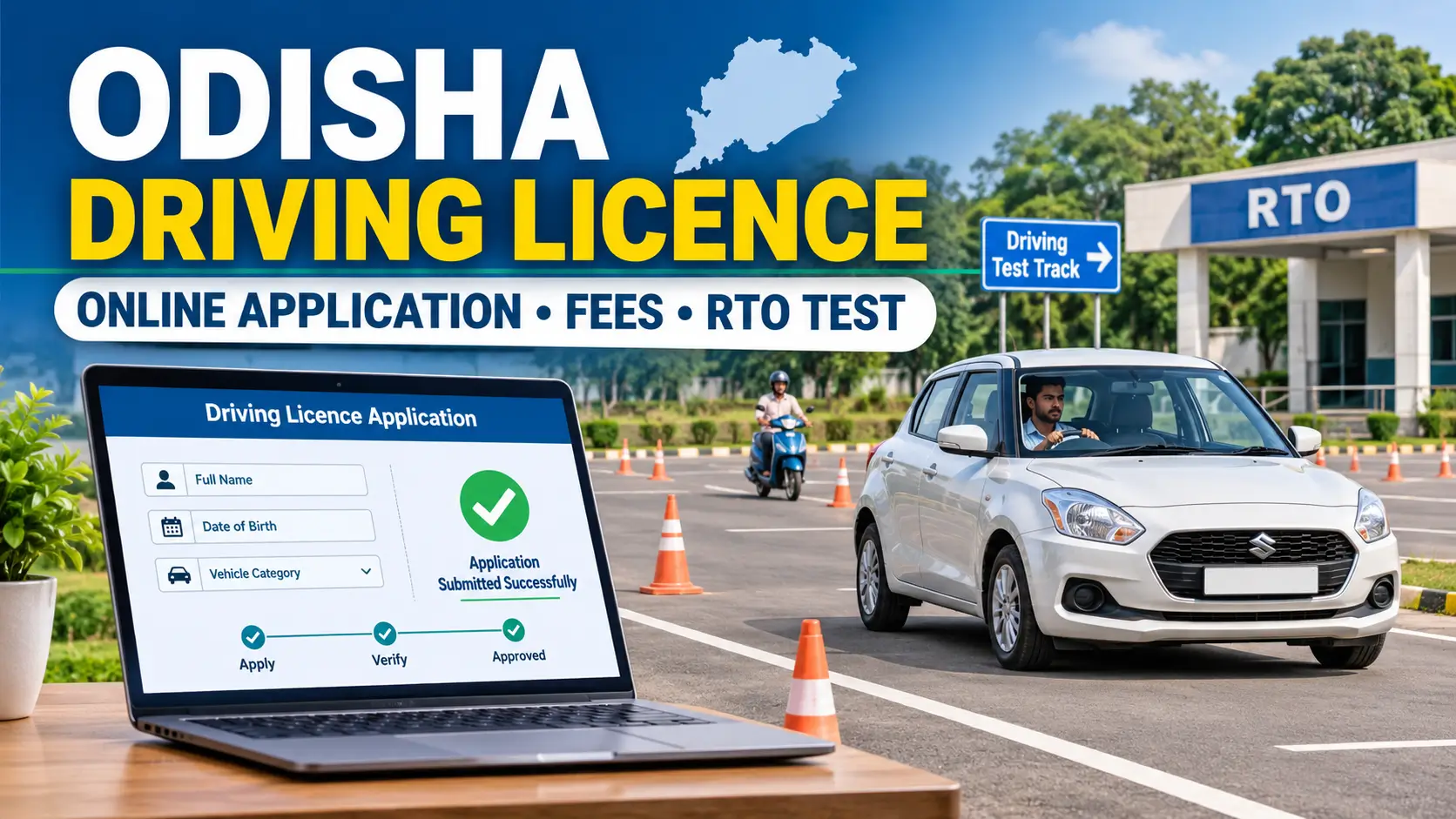
Odisha Driving Licence Online 2026: Application, Fees & RTO Test Guide
Read in another language:
Applying for a driving licence in Odisha involves two main stages: obtaining a Learner’s Licence (LL) and qualifying for a permanent Driving Licence (DL). Most application work can be completed online through the Sarathi Parivahan portal, but applicants must attend the required RTO appointments for document verification, biometrics and driving tests.
The Odisha Motor Vehicle Department provides state-specific instructions for both services. This guide explains the complete application process, eligibility, documents, government fees, test requirements, licence validity and application tracking.
Quick Overview: Odisha Driving Licence 2026
| Particulars | Details |
|---|---|
| Application portal | Sarathi Parivahan |
| State selection | Odisha |
| First stage | Learner’s Licence |
| Waiting period | Minimum 30 days |
| Learner’s Licence validity | 6 months |
| Permanent DL test | At the designated RTO |
| Minimum age for private car | 18 years |
| Minimum age for transport vehicle | 20 years |
| LL issuance fee | ₹150 per vehicle class |
| LL test fee | ₹50 |
| Driving test fee | ₹300 per vehicle class |
| Permanent DL issuance fee | ₹200 |
| Application tracking | Sarathi Application Status |
These are central government base fees. Additional applicable charges, if any, are displayed by the portal before payment.
1. Eligibility for a Driving Licence in Odisha
Before applying, check whether you meet the minimum age and other requirements under the Motor Vehicles Act, 1988.
| Vehicle category | Minimum age |
|---|---|
| Motorcycle with engine capacity not exceeding 50 cc | 16 years |
| Motorcycle with gear | 18 years |
| Private car (LMV) | 18 years |
| Transport vehicle | 20 years |
Applicants below 18 must meet the applicable parent or guardian consent requirements.
For transport vehicles, additional conditions may apply depending on the vehicle category and authorisation requested.
Applicants must also understand traffic rules and pass the relevant learner’s and driving competency tests.
2. Documents Required for Odisha Driving Licence
Keep the necessary documents ready before starting your application.
Identity and age proof
- Aadhaar Card
- Birth Certificate
- Passport
- School certificate
- Other documents accepted by the licensing authority
Address proof
- Aadhaar Card
- Voter ID
- Passport
- Ration Card
- Utility bill or other accepted residence proof
Other documents
- Form 1: Declaration of physical fitness
- Form 1A: Medical certificate, where applicable
- Recent photograph and signature, if requested
- Valid Learner’s Licence for permanent DL application
- Vehicle Registration Certificate (RC)
- Valid vehicle insurance
- Pollution Under Control (PUC) certificate, where applicable
Transport vehicle applicants may also need additional documents, including the relevant driving training certificate.
The exact document requirements depend on the service and vehicle class selected. Follow the document checklist generated by Sarathi rather than assuming every applicant needs identical documents.
3. How to Apply for a Learner’s Licence in Odisha Online
A Learner’s Licence is the first requirement for most new driving licence applicants.
Follow these steps:
- Visit the official Sarathi Parivahan portal. (https://sarathi.parivahan.gov.in/)
- Select Odisha from the state selection menu.
- Open the Learner’s Licence application service.
- Enter your personal details and the requested information.
- Select the appropriate vehicle class.
- Upload the required documents, photograph and signature where requested.
- Pay the applicable application fee.
- Book an available Learner’s Licence test appointment.
- Visit the designated RTO on your appointment date for document scrutiny and biometric verification.
- Take the learner’s test.
After successfully passing the test, your Learner’s Licence can be approved and downloaded through the portal.
Important: Odisha’s published process includes an RTO visit for scrutiny, biometrics and the learner’s test. Do not assume that every applicant can complete the entire process from home.
Learner’s Licence Fees
| Fee description | Amount |
|---|---|
| LL issuance per vehicle class | ₹150 |
| LL test fee | ₹50 |
| Repeat LL test fee | ₹50 |
The Learner’s Licence remains valid for six months from its date of issue.
4. How to Apply for a Permanent Driving Licence in Odisha
After receiving your Learner’s Licence, you must complete the minimum waiting period and pass the driving competency test.
You can apply for a permanent DL after 30 days from the date of LL issuance.
Follow these steps:
- Open the Sarathi Parivahan website. (https://sarathi.parivahan.gov.in/)
- Select Odisha as your state.
- Choose Apply for Driving Licence.
- Enter your Learner’s Licence number and date of birth.
- Verify the information displayed on the screen.
- Complete the application and provide any pending documents.
- Pay the prescribed fee.
- Book an available driving test slot at the appropriate RTO.
- Download or print your application and payment receipt.
- Visit the RTO on the scheduled date with the required original documents and vehicle.
- Complete the driving competency test.
If you pass the test, the licensing authority processes your permanent driving licence.
Important: Apply before your Learner’s Licence expires. If it expires before you complete the required process, you may need to obtain another Learner’s Licence.
5. Odisha Driving Licence Test: What Applicants Should Know
The permanent licence test checks whether you can safely control and operate the vehicle category for which you applied.
During the test, the Motor Vehicle Inspector or authorised examiner may assess:
- Vehicle control and handling
- Starting and stopping safely
- Use of indicators and mirrors
- Turning and manoeuvring
- Awareness of road signs
- Understanding of traffic rules
- Safe driving behaviour
You should take the test in the appropriate vehicle category.
What Happens If You Fail the Driving Test?
Under the Motor Vehicles Act, an applicant who fails the driving test may reappear after seven days.
If an applicant fails three attempts, the next attempt cannot take place before 60 days have passed from the date of the last test.
You must pay the applicable repeat-test fee and book another appointment.
6. Odisha Driving Licence Fees 2026
The central government publishes the licensing fee schedule under the Central Motor Vehicles Rules.
The following are the applicable base fees:
| Driving licence service | Government fee |
|---|---|
| Learner’s Licence issuance, per class | ₹150 |
| Learner’s Licence test | ₹50 |
| Driving competency test, per class | ₹300 |
| Permanent Driving Licence issuance | ₹200 |
| Driving Licence renewal | ₹200 |
| Addition of another vehicle class | ₹500 |
| Change of address or other particulars | ₹200 |
| International Driving Permit | ₹1,000 |
| Hazardous goods authorisation or renewal | ₹1,000 |
What Is the Total Cost of a New Driving Licence?
For one vehicle class, the basic central fee calculation is:
- Learner’s Licence issuance: ₹150
- Learner’s test: ₹50
- Driving competency test: ₹300
- Permanent DL issuance: ₹200
Total base fee: ₹700
This is the central fee calculation, not a guaranteed final Odisha payment amount. Additional applicable charges may appear during the online payment process.
Always check the final amount displayed on Sarathi before making payment.
Official fee reference: Parivahan Licensing Related Fees and Charges. (https://parivahan.gov.in/en/content/licensing-related-fees-charges)
7. How to Check Odisha Driving Licence Application Status
After submitting your application, you can track its progress online.
Follow these steps:
- Visit the Sarathi Parivahan portal.
- Select Odisha.
- Open the Application Status option.
- Enter your application number.
- Provide your date of birth and the required verification details.
- Submit the information to view the latest status.
Depending on your application, the portal may display stages related to document verification, test results, approval, printing or dispatch.
If your application remains pending for an unusually long period, contact your concerned RTO with your application number and payment receipt.
8. How to Download Odisha Driving Licence Online
After the licence has been issued, you can access its digital version through supported government platforms.
Using Sarathi:
- Open the Sarathi portal.
- Select Odisha.
- Navigate to the driving licence services.
- Select the relevant print or download option.
- Enter the requested application or licence details.
- Complete verification and download the available document.
You can also access your issued driving licence through:
- DigiLocker (https://www.digilocker.gov.in/)
- mParivahan (https://mparivahan.parivahan.gov.in/)
Digital driving licence records available through recognised DigiLocker or mParivahan services are legally recognised in electronic form under the applicable government instructions.
9. Odisha Driving Licence Validity
Driving licence validity depends on the vehicle category and the applicant’s age at the time of issue or renewal.
Under Section 14 of the Motor Vehicles Act, 1988, the validity of a non-transport licence is generally as follows:
| Age at issue or renewal | Validity |
|---|---|
| Below 30 years | Until the age of 40 |
| 30 to below 50 years | 10 years |
| 50 to below 55 years | Until the age of 60 |
| 55 years and above | 5 years |
| Transport vehicle | 5 years |
For vehicles carrying dangerous or hazardous goods, separate authorisation and renewal conditions apply.
Always check the expiry date printed on your licence.
10. How to Renew a Driving Licence in Odisha
If your existing driving licence is approaching its expiry date, you can apply for renewal through Sarathi.
Steps:
- Visit the Sarathi Parivahan portal.
- Select Odisha.
- Choose Apply for DL Renewal.
- Enter your driving licence number and date of birth.
- Verify the licence details.
- Select the required RTO.
- Upload the requested documents, including Form 1A where applicable.
- Pay the renewal fee.
- Book an appointment if the portal requires one.
- Complete any required verification.
The standard central renewal fee is ₹200.
A renewal application can generally be submitted up to one year before the expiry date. If you apply after the applicable grace period, additional late fees may apply.
For renewal requirements, check the official Odisha Transport Department. (https://odishatransport.gov.in/)
Subhadra Yojana : More related Odisha Program
Odisha e-Challan 2026 : Check Status, Traffic Fine List and Pending Challan Settlement
eDistrict Odisha Certificates 2026 : Caste, Income, Residence, OBC and SEBC (Apply, Track, Download)
PMAY Urban BANDHU Odisha 2026 : Benefits, Eligibility, ₹1,615 Crore Budget & How to Apply
Odisha Caste Certificate Apply Online 2026 : SC, ST, SEBC & OBC Guide
Odisha Voter List 2026 : Check Your Name Online, Download Electoral Roll PDF
Odisha Unified Pension Portal (UPMP) : Apply Online, Track Application & Check Payment Updates
Odisha Marriage Registration Online 2026 : SUJOG, IGR, Fees and Application Process
Odisha government services : More Govt Services
11. How to Apply for a Duplicate Driving Licence in Odisha
If your driving licence is lost, stolen or damaged, you can request a duplicate through the relevant Sarathi service.
The general process is:
- Visit Sarathi and select Odisha.
- Open the relevant service for an existing driving licence.
- Enter your DL number and date of birth.
- Select the duplicate licence service.
- Provide the requested information and supporting documents.
- Pay the applicable fee shown by the portal.
- Complete any required RTO verification.
For a stolen or lost licence, keep the police complaint or other supporting document ready if requested.
For a damaged licence, retain the damaged card until the authority advises otherwise.
12. How to Change Address on an Odisha Driving Licence
If you have moved to another address, use the change of particulars or address service on Sarathi.
You generally need to:
- Select Odisha.
- Enter your driving licence details.
- Choose the address change service.
- Provide your new address.
- Upload accepted address proof.
- Pay the applicable fee.
- Complete any verification requested by the licensing authority.
The central fee for a change of address or other particulars is ₹200.
13. International Driving Permit in Odisha
Indian licence holders planning to drive abroad may apply for an International Driving Permit (IDP), subject to the applicable requirements.
Odisha provides an online IDP application process through Sarathi.
The applicant generally needs:
- Valid Indian driving licence
- Passport
- Valid visa, where applicable
- Form 1A medical certificate
- Other documents requested by the portal
The central IDP issuance fee is ₹1,000.
Odisha’s published instructions direct applicants to the Government Driving Training School, Bhubaneswar, for the relevant verification and approval process.
An IDP is generally valid for a maximum of one year or until the validity of the underlying driving licence expires, whichever comes earlier.
Check the destination country’s driving requirements before travelling.
14. Odisha RTO Contact Details and Helpline
If you face problems with your application, appointment, payment or document verification, contact the Odisha Motor Vehicle Department.
| Contact information | Details |
|---|---|
| Department | Odisha Motor Vehicle Department |
| Helpline | 1800-345-1073 |
| Office | 6th Floor, Rajaswa Bhawan, Chandini Chowk, Cuttack |
| Telephone | 0671-2507042 |
| ori-transportcomm@nic.in | |
| Official website | odishatransport.gov.in |
The department also provides an online RTO directory where applicants can find transport office contact details.
15. Common Reasons for Driving Licence Application Delays
A few avoidable mistakes can delay the application process.
Incorrect personal details: Make sure your name and date of birth match the supporting documents.
Wrong vehicle category: Select the correct class according to the vehicle you intend to drive.
Expired Learner’s Licence: Apply for the permanent licence within the LL validity period.
Incomplete documents: Upload clear documents in the format and size accepted by the portal.
Missed appointment: Check your test date and arrive at the correct RTO on time.
Unsuccessful payment: Keep the payment receipt and verify the transaction status before paying again.
Unofficial websites: Use government portals for applications and payments. Avoid unknown agents or websites promising guaranteed approval.
16. Frequently Asked Questions
Can I apply for an Odisha driving licence online?
Yes. You can complete the application, document submission, fee payment and appointment booking through Sarathi. However, the applicable RTO verification and tests still require attendance.
What is the official website for an Odisha driving licence?
The official application portal is https://sarathi.parivahan.gov.in/. Select Odisha to access state-specific services.
How many days after an LL can I apply for a permanent DL?
You can apply after completing at least 30 days from the date of Learner’s Licence issuance.
What is the validity of an Odisha Learner’s Licence?
A Learner’s Licence is valid for six months from its date of issue.
What is the minimum age for a car driving licence in Odisha?
The minimum age is 18 years for a private car licence.
What is the minimum age for a transport vehicle licence?
The general minimum age is 20 years, subject to the applicable legal requirements.
What is the total fee for a new driving licence in Odisha?
The central base fee for one vehicle class is ₹700, including the learner licence, LL test, driving test and permanent licence issuance fees. The final portal amount may include additional charges.
Can I get a driving licence without a driving test?
A permanent driving licence normally requires passing the prescribed driving competency test. Do not assume that online application or payment replaces this requirement.
How can I check my Odisha DL application status?
Select Odisha on Sarathi, open Application Status and enter your application number and date of birth.
What happens if I fail my driving test?
You can generally reappear after seven days. After three unsuccessful attempts, a 60-day waiting period applies before another attempt.
Can I download my Odisha driving licence on my mobile?
Yes. Once issued, you can access your digital driving licence through supported services such as DigiLocker and mParivahan.
Is a DigiLocker driving licence valid?
Recognised electronic driving licence records available through DigiLocker or mParivahan are legally accepted under applicable government instructions.
How much does driving licence renewal cost in Odisha?
The standard central renewal fee is ₹200. Late renewal can attract additional fees.
Official Websites and References
For the latest rules, fees and application instructions, use these government resources:
- Sarathi Parivahan – Driving Licence Services (https://sarathi.parivahan.gov.in/)
- Parivahan – Licensing Fees and Charges (https://parivahan.gov.in/en/content/licensing-related-fees-charges)
- Odisha Motor Vehicle Department (https://odishatransport.gov.in/)
- Odisha – Learner’s Licence Instructions (https://odishatransport.gov.in/content/Issue-of-Learners-License/1)
- Odisha – Driving Licence Issuance (https://odishatransport.gov.in/content/Issuance-of-Driving-License/1)
- Odisha – Driving Licence Renewal (https://odishatransport.gov.in/content/Renewal-of-DL/1)
- Odisha – RTO Contact Directory (https://odishatransport.gov.in/telephone-directory)
- Motor Vehicles Act, 1988 (https://www.indiacode.nic.in/)
Final Words
Applying for a driving licence in Odisha is easier when you understand the two-stage process. Start with a Learner’s Licence, complete the required waiting period, book your permanent driving test and attend the designated RTO with the necessary documents.
Before paying any fee or visiting an RTO, check the latest instructions on Sarathi and the Odisha Motor Vehicle Department website. This will help you avoid incorrect payments, missed appointments and unnecessary application delays.
Disclaimer: Subhadra-yojanain.com is an independent informational website and is not affiliated with the Government of Odisha or the Ministry of Road Transport and Highways. Rules, fees and portal procedures may change. Always verify the latest information through official government websites.