Odisha Safal Portal 2026: Apply for Agricultural Loan, Login & Status Check
Odisha Safal Portal 2026
If you are a farmer or agri-entrepreneur in Odisha looking for a bank loan for agriculture or an allied activity, the Odisha Safal Portal can make the process easier. SAFAL stands for Simplified Application for Agricultural Loans. It is a common credit portal of the Government of Odisha that connects farmers and agri-entrepreneurs with formal loan products offered through banks.
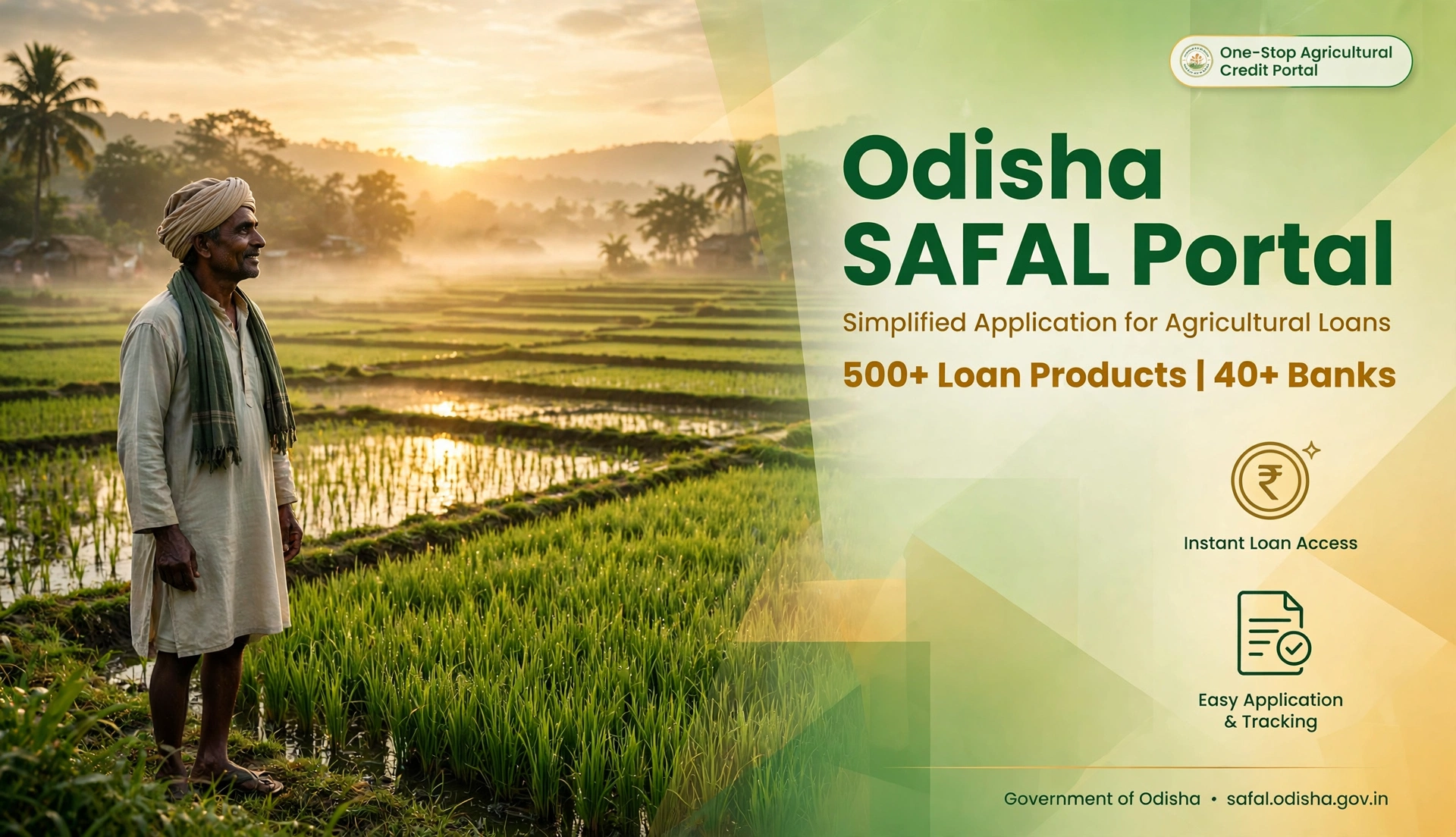
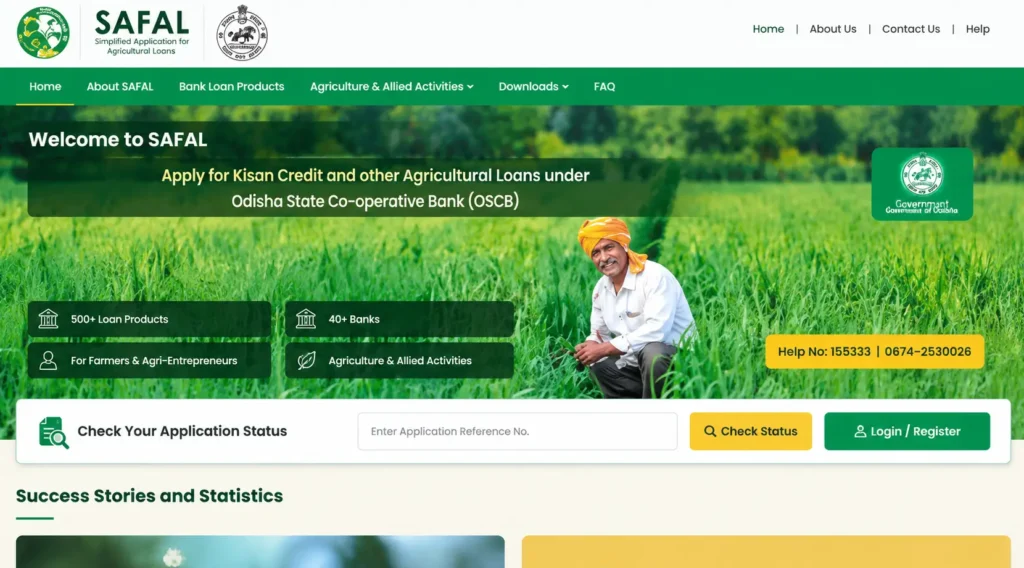
The official SAFAL portal currently says that users can access 500+ loan products from 40+ banks. It also provides online application, application tracking and notifications during the loan process.
This guide explains what the SAFAL portal is, who can use it, how to register and login, how to apply for a loan, how to check application status and what to do if you are not already registered with Krushak Odisha.
Odisha Safal Portal 2026: Quick Overview
| Particular | Details |
|---|---|
| Portal Name | SAFAL |
| Full Form | Simplified Application for Agricultural Loans |
| State | Odisha |
| Main Purpose | Access to formal agricultural and allied-sector credit |
| Beneficiaries | Farmers and agri-entrepreneurs |
| Loan Products | 500+ products currently listed by the official portal |
| Banks | 40+ banks |
| Application Mode | Online |
| Status Tracking | Available |
| Official Portal | safal.odisha.gov.in |
| Agriculture Helpline | 155333 |
What Is Odisha Safal Portal?
The Odisha Safal Portal is a single-window credit platform created for farmers and agri-entrepreneurs who need formal financing for agriculture and allied activities.
Instead of searching separately for loan products offered by different banks, applicants can use SAFAL to explore available products, select a suitable bank and loan product, submit an application and track its progress.
The portal is not a scheme that automatically gives every farmer a fixed amount of money. Loan approval remains subject to the concerned bank’s lending process and the requirements of the selected loan product.
According to the official SAFAL portal, users can access loan products from public-sector banks, private-sector banks, regional rural banks, cooperative banks and small finance banks.
When Was the SAFAL Portal Launched?
The SAFAL portal was launched on 26 October 2022 by then Chief Minister Naveen Patnaik. It was built as a joint initiative of the Odisha State Cooperative Bank and the Directorate of Agriculture and Food Production, and at launch it was described as the country’s first online agricultural credit facilitation portal. The government expected around 7 lakh farmers to benefit from easier access to formal credit.
What Is the Full Form of SAFAL?
SAFAL stands for Simplified Application for Agricultural Loans.
The portal was created to make formal agricultural credit easier to access and to improve visibility of loan applications between applicants and banks.
The official SAFAL user manual also describes the platform as a one-stop solution for farmers and agri-entrepreneurs seeking formal-sector credit.
Who Can Use the SAFAL Portal?
The portal is primarily intended for:
- Farmers in Odisha
- Agri-entrepreneurs
- Applicants seeking formal credit for agriculture and allied activities
The exact eligibility conditions are not identical for every loan product. Each bank and loan product may have its own requirements relating to the applicant, activity, land, project, documents, repayment capacity and other conditions.
Therefore, do not assume that simply being a farmer guarantees approval of a SAFAL loan.
More related Odisha schemes
Habishyali Yojana 2026: Online Registration from Oct 6 — Eligibility, 2,500 Seats, How to Apply
Odisha Nirman Shramik Kalyan Yojana 2026: Eligibility, Benefits, Documents & Apply Online
Odisha PM Awas Yojana List 2026: District-Wise PMAY-G Beneficiary List, Status Check & PDF Download
Subhadra Yojana Guidelines 2026 PDF: Official Rules, Eligibility & Latest Updates
Odisha Small Savings Incentive Scheme 2026: AU Series, Coupon Rules, Prize List and How to Claim
Subhadra-yojanain.com/category/blog/page/2
Why Is Krushak Odisha Important for Farmers?
Krushak Odisha is closely connected with the SAFAL application process for farmers.
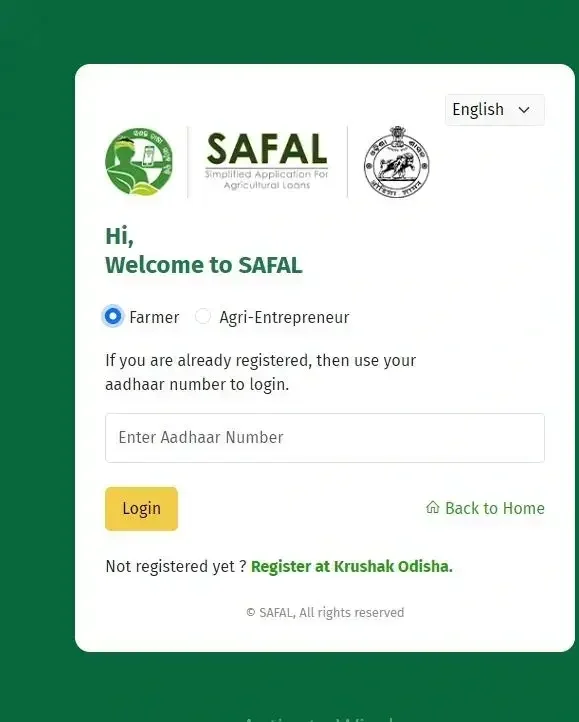
If a farmer is already registered on Krushak Odisha, the SAFAL user manual says the farmer can use the Aadhaar number to login and complete OTP verification.
Krushak Odisha maintains farmer information for the state and provides services related to farmer registration and agricultural activities. Its official FAQ says that farmers can check their registration status using Aadhaar and can update demographic and land information after login.
If you have not registered on Krushak Odisha yet, it is useful to complete that registration before starting the SAFAL loan process.
Odisha Safal Portal Registration
The registration process can differ depending on whether you are using SAFAL as a farmer or an agri-entrepreneur.
For Farmers Already Registered on Krushak Odisha
If your details are already available on Krushak Odisha:
- Open the official SAFAL portal.
- Choose the login option.
- Select the farmer option if required.
- Enter your Aadhaar number.
- Complete the OTP verification.
- Open your SAFAL dashboard.
- Continue with the loan-product selection and application process.
The official SAFAL documentation explains that a farmer registered on Krushak Odisha can use Aadhaar for SAFAL login.
For an Agri-Entrepreneur
Agri-entrepreneurs can use the registration facility available on SAFAL.
The official registration page asks for details such as:
- Aadhaar number
- Name
- Mobile number
- Email ID
Enter your details carefully because incorrect contact information can create problems during communication and application processing.
Odisha Safal Portal Login
To login to SAFAL:
- Visit the official SAFAL website.
- Select the appropriate user type.
- Enter the required login information.
- Complete OTP verification where requested.
- Open your dashboard.
Farmers who are already registered on Krushak Odisha can use their Aadhaar-based login process as described in the official SAFAL documentation.
For help with agriculture-related government services, the Odisha Agriculture Department lists 155333 as the helpline number.
How to Apply for a Loan on Odisha Safal Portal
The SAFAL application process is designed around selecting a bank and loan product before submitting the application.
Step 1: Open the Official SAFAL Portal
Go to the official SAFAL, website safal.odisha.gov.in and login or register according to your user category.
Avoid third-party websites that ask for money or sensitive information to submit your application.
Step 2: Choose the Preferred Bank
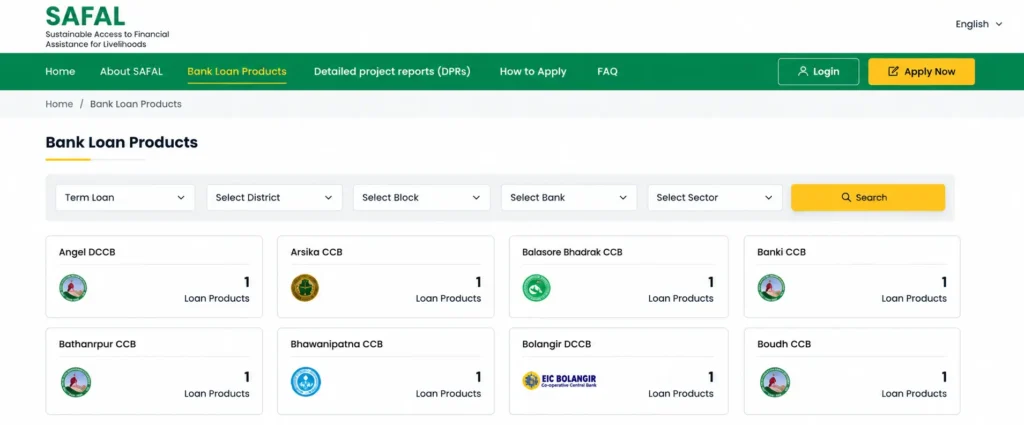
After entering the portal, review the available bank options.
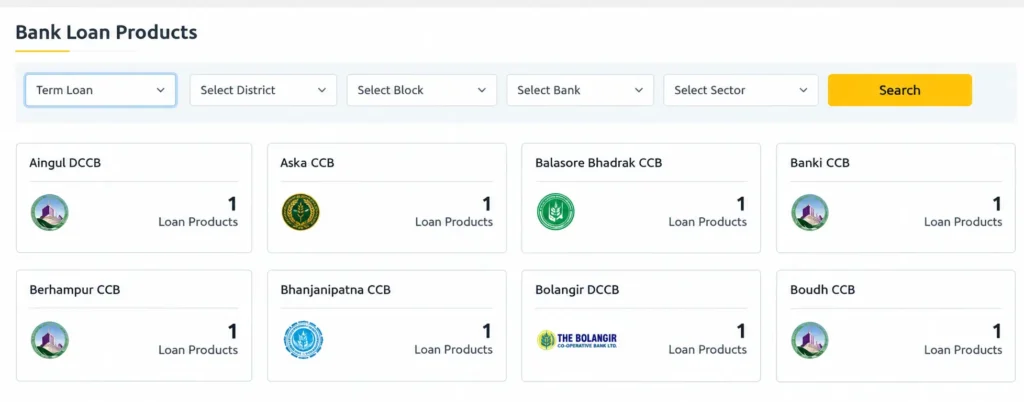
You can use filters such as district, block and bank to narrow down the available loan products.
Step 3: Select a Loan Product
SAFAL provides access to multiple loan products covering agriculture and allied activities.
Read the product details before applying. Check the eligibility requirements, loan purpose, applicable conditions and documents required.
Step 4: Fill in the Loan Application
Enter the information requested in the application form.
Depending on the selected product, the form can ask for details related to:
- Applicant information
- Contact details
- Bank and branch
- Project or activity
- Sector
- Land or business information
- Loan requirement
Do not enter inaccurate information simply to complete the form faster.
Step 5: Upload Required Documents
Upload the documents requested for your selected loan product.
Some applications may require identity documents, land-related records, project information, a Detailed Project Report or other supporting documents.
The exact document list depends on the loan product and bank.
Step 6: Review the Application
Before submitting, check your personal details, mobile number, bank information, project details and uploaded documents.
A small mistake can delay processing, so review everything carefully.
Step 7: Submit the Application
After reviewing the information, submit the application through the portal.
Keep the application reference number safely. You may need it later to check your loan application status.
How to Check Odisha Safal Application Status
One of the useful features of SAFAL is application tracking.
The official portal provides a Check Your Application Status facility where an applicant can enter the application reference number.
To check your status:
- Open the official SAFAL portal.
- Find the application-status option.
- Enter your application reference number.
- Submit the details.
- Review the current status shown on the portal.
The SAFAL user manual also shows application tracking through the application reference number.
Depending on the stage of processing, your application may be pending, under processing, sanctioned, rejected or awaiting an action at a particular stage.
What Information Can You See in SAFAL Application Status?
The SAFAL application-tracking system can provide useful information about the progress of a loan application.
Official SAFAL documentation shows that applicants can see information such as:
- Application reference number
- Application date
- Current status
- Bank name
- Branch
- Loan product
- Loan amount
- Application details
- Processing log
The exact information displayed can vary according to the application and its processing stage.
SAFAL Loan Products for Farmers
SAFAL brings different agricultural and allied-sector credit products together on one platform.
The current official portal says it provides access to 500+ loan products offered by 40+ banks.
Older SAFAL manuals refer to 300+ products. Because the portal has expanded over time, the current portal figure is more appropriate for a 2026 guide.
Loan availability can change, so applicants should always check the product details displayed on SAFAL before making a decision.
SAFAL Portal and Crop Loans
Crop loans are among the types of agricultural credit that can be available through SAFAL.
For example, the official Odisha State Cooperative Bank SAFAL manual describes a process for applying for crop loans through the platform.
However, crop-loan eligibility and conditions can differ according to the bank and product. Some cooperative-bank crop-loan products can also have additional requirements, such as membership of a Primary Agriculture Credit Society.
Therefore, applicants should check the exact requirements shown for their selected product rather than relying on a general crop-loan rule.
Crop Loan Interest Rates in Odisha (Current Policy)
The question every farmer asks first is what the loan will cost. For crop loans taken through cooperative banks and PACS, Odisha has a standing interest subvention policy:
- Up to Rs.1 lakh: zero per cent interest, if you repay on time.
- Rs.1 lakh to Rs.3 lakh: 2 per cent interest for farmers who repay promptly.
This policy has been in force since 1 April 2022 under the state’s Interest Subsidy-Subvention scheme, which runs through 2027-28. For other loan products on SAFAL — term loans for dairy, fishery, machinery and so on — the interest depends on the bank and the product, and the portal shows it before you apply.
Documents Required for SAFAL Loan Application
There is no single document list that applies to every SAFAL loan.
The required documents depend on the bank, loan product and type of agricultural activity.
Depending on the selected product, applicants may need documents such as:
- Aadhaar or another identity document
- Mobile number
- Bank details
- Land-related documents
- Farmer registration details
- Project details
- Detailed Project Report (DPR)
- Photographs
- Other documents requested by the bank
Before submitting an application, read the document requirements displayed for the particular loan product.
What Is a DPR in the SAFAL Loan Process?
DPR means Detailed Project Report.
For some agricultural or allied-sector projects, the applicant may need to provide a DPR explaining the proposed activity and financial requirements.
The official SAFAL portal says that guidelines and model DPRs are available for loan products. These can help applicants understand the type of information expected for a project.
If a DPR is required, do not upload an incomplete or unrelated document. Prepare it according to the requirements of the selected loan product.
Main Benefits of Odisha Safal Portal
SAFAL is useful because it brings several parts of the agricultural credit process into one platform.
One Common Credit Portal
Farmers and agri-entrepreneurs can explore loan products from multiple banks through a common platform.
Online Loan Application
Eligible applicants can submit loan applications online instead of starting the process from scratch at multiple banks.
Application Tracking
Applicants can track their submitted applications and see where the application is in the processing chain.
Better Visibility of Loan Products
The portal helps applicants compare available products and identify options relevant to their activity.
Model DPR Support
The official portal provides access to guidelines and model DPRs for loan products where applicable.
Notifications
SAFAL can provide SMS or email notifications when an application is reverted, sanctioned, rejected or requires action from the applicant.
SAFAL Portal vs Traditional Loan Search
| Feature | SAFAL Portal | Traditional Approach |
|---|---|---|
| Find loan products | Multiple products in one platform | Search bank by bank |
| Online application | Available for listed products | Depends on bank |
| Application tracking | Available | Depends on bank |
| Bank options | 40+ banks listed by official portal | Usually one bank at a time |
| Model DPR information | Available for relevant products | Depends on bank |
| Notifications | Available for application updates | Depends on bank |
This program does not replace the bank’s loan approval process. It acts as a common platform that helps applicants access and track formal credit applications.
SAFAL Portal Helpline Number
For agriculture-related queries, the Odisha Agriculture Department lists 155333 as the helpline number. You can also write to krushak@odisha.gov.in — mention your registered mobile number and application reference number so your case can be traced.
For an issue related specifically to a submitted loan application, keep your application reference number ready when seeking assistance.
Common Mistakes to Avoid on SAFAL
Before submitting a loan application, keep these points in mind:
Do Not Use an Unofficial Website
Always start from the official SAFAL portal.
Do Not Assume Every Loan Has the Same Eligibility
Eligibility depends on the selected loan product and bank.
Do Not Enter Incorrect Aadhaar or Mobile Details
Your identity and contact information should match the details required by the portal.
Do Not Ignore Krushak Odisha Registration
Farmers may need their Krushak Odisha registration information for the SAFAL login and application process.
Do Not Submit an Incomplete DPR
If your selected loan requires a DPR, make sure it contains the information required for the project.
Keep the Application Reference Number
Save the reference number after submitting the application. It can be required for status tracking.
Is Odisha Safal Portal a Government Loan Scheme?
No. This distinction is important.
SAFAL is a government credit portal, not a single loan scheme where the government deposits a fixed amount into every applicant’s account.
The portal helps farmers and agri-entrepreneurs access formal credit products offered by participating banks. The bank evaluates the application according to the relevant loan product and its lending process.
Is SAFAL Only for Farmers?
No.
The official SAFAL portal specifically describes its users as farmers and agri-entrepreneurs.
Farmers can use their relevant Krushak Odisha information, while agri-entrepreneurs can register through the SAFAL system and apply for suitable loan products.
Frequently Asked Questions
What is Odisha Safal Portal?
Odisha Safal Portal is a common credit platform of the Government of Odisha for farmers and agri-entrepreneurs to access formal agricultural and allied-sector loan products.
What is the full form of SAFAL?
SAFAL stands for Simplified Application for Agricultural Loans.
What is the official SAFAL website?
The official SAFAL website is safal.odisha.gov.in.
When was the SAFAL portal launched?
The portal was launched on 26 October 2022 by then Chief Minister Naveen Patnaik.
How many loan products are available on SAFAL?
The current official SAFAL portal says that farmers and agri-entrepreneurs can access 500+ loan products from 40+ banks.
What interest will I pay on a crop loan?
Under the state’s current policy, crop loans up to Rs.1 lakh through cooperative banks carry zero per cent interest on timely repayment, and loans between Rs.1 lakh and Rs.3 lakh carry 2 per cent for prompt-paying farmers. Rates for other loan products vary by bank and are shown on the portal.
Can I check my SAFAL loan status online?
Yes. The official portal provides an application-status facility where applicants can use their application reference number to check the status.
Do I need Krushak Odisha registration?
Farmers who are already registered on Krushak Odisha can use their Aadhaar-based login process for SAFAL. If you are not registered, follow the registration instructions provided by the relevant official portals.
Does SAFAL guarantee loan approval?
No. SAFAL provides access to loan products and facilitates the application process. Final approval depends on the concerned bank and the eligibility and lending conditions of the selected product.
Is SAFAL available only for crop loans?
No. SAFAL is a broader agricultural and allied-sector credit platform. The portal provides access to multiple loan products, including products for different agricultural and allied activities.